
Copyright © ViserLab 2025
Currencia is a secure, user-friendly platform for buying, selling, and exchanging cryptocurrencies. It offers real-time market insights, multiple crypto support, and advanced security for a seamless trading experience.
Experience the convenience of multiple automated online payment gateways, making transactions smoother and more accessible across the globe. Rest assured, we are committed to continuously updating the app, introducing new features and security enhancements to ensure the best user experience for all our users.
Thank you for choosing the Currencia App. For any questions or assistance not covered in this
documentation, please contact us via email. We're committed to providing prompt support for all inquiries.
Thank you for your support. Happy exchanging!
Follow the guidelines in the following link to install the Flutter environment
OFFICIAL DOC LINK: https://docs.flutter.dev/get-started/install


If you enabled Google Analytics, you'll need to choose an existing Google Analytics account or create a new one.


Firebase will take a moment to create your project. Once it's done, you'll be redirected to the project dashboard.








To generate a keystore in Android Studio, follow these steps:


.jks extension.
Click Create New


Click OK

Fillup all field

Click NEXT


You Will get a Release App bundle

Once you have created a keystore, you can use it to sign your Android apps for release.
Additional notes:

Conclusion
Generating a keystore is an important step in preparing your Android app for release. By following the steps above, you can create a keystore and key that will help to protect your app and your users.


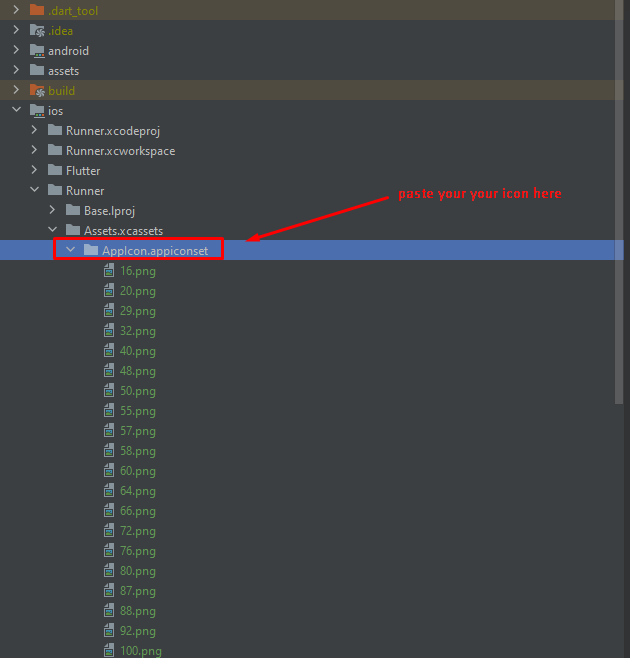
Note: For different type of device we need to add different size of icon. So that you should to need to resize them. You can use https://appicon.co/ platform to generate multiple size icons for android and ios. It will provide you the icon with a correct folder structure.


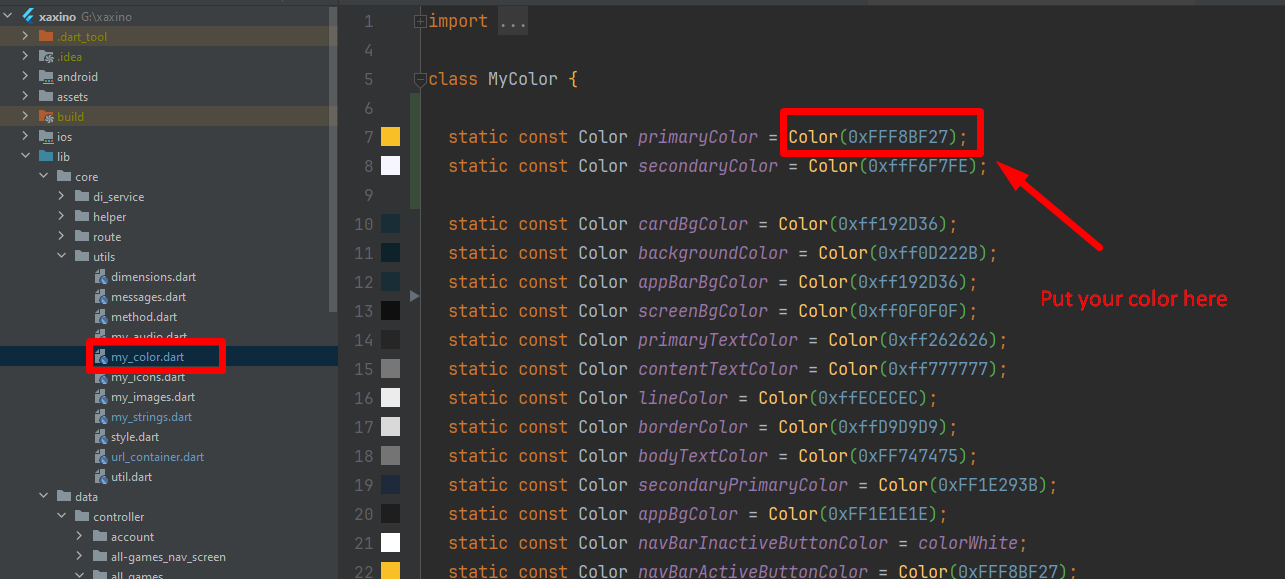


Follow the guidelines in the following link to publish the app to Play Store.
PlayStore: https://flutter.dev/docs/deployment/android
Follow the guidelines in the following link to publish the app to AppStore.
AppStore: https://flutter.dev/docs/deployment/ios
Once again, thank you so much for purchasing this App. As I said at the beginning, I'd be glad to help you if you have any questions relating to this App. No guarantees, but I'll do my best to assist. If you have any queries, please feel free to contact us at Support Center.
Email Us: https://viserlab.com/support