
Digital Trading Platform
Welcome to the documentation for our Vinance (Digital Trading Platform) Script, built using Laravel, PHP, MySQL, jQuery, JS, Bootstrap, CSS, and HTML . This powerful and scalable platform is designed to help users trade and manage cryptocurrencies effortlessly.
Key Features
Spot Trading
Instantly trade cryptocurrencies at real-time market prices with control.
Copy Trading
Automatically replicate top traders’ strategies to grow your crypto portfolio.
Binary Trading
Quickly trade assets by predicting price movements with fixed outcomes.
Future Trading
Predict market movements and trade futures for amplified profit potential.
P2P Trading
Peer-to-peer platform for fast, safe, and convenient crypto trading.
RealTime Price Update
Stay updated with real-time market prices across all supported digital assets.
Technology Stack
We have used modern technology stack for modern user experience with Single Page Application.

Backend Technologies
Laravel: A robust PHP framework designed for the development of scalable web applications, featuring built-in tools for routing, authentication, and database management.
PHP: A widely-used server-side scripting language that powers dynamic content generation and seamless database integration for web applications.
MySQL: A high-performance, open-source relational database management system, ideal for managing structured data in web-based environments.
Frontend Technologies
jQuery: A fast, small, and feature-rich JavaScript library for DOM manipulation, event handling, and simplified web interactions.
JavaScript: A versatile programming language used to create dynamic, interactive, and responsive web content across browsers.
Bootstrap: A CSS framework for building responsive, mobile-first websites with prebuilt components, utilities, and consistent design layouts.
CSS: A stylesheet language used to control presentation, layout, styling, and visual effects of HTML elements effectively.
HTML:The standard markup language used to structure and organize web content, defining elements such as headings, paragraphs, links, images, and forms that make up a web page.
Server Requirements
To run Vinance - Digital Trading Platform smoothly, ensure that your server meets the following minimum requirements:
Server Configuration
- Web Server: Apache or Nginix
- PHP Version: PHP 8.3 or higher
- Database: MySQL 8.0+ or MariaDB 10.6+
- Memory Limit: Minimum 512MB (Recommended: 1GB or higher)
- Disk Space: At least 1GB free storage (More required based on product uploads)
PHP and Server Extension
- BCMath PHP Extension
- Ctype PHP Extension
- cURL PHP Extension
- DOM PHP Extension
- Fileinfo PHP Extension
- GD PHP Extension
- JSON PHP Extension
- Mbstring PHP Extension
- OpenSSL PHP Extension
- PCRE PHP Extension
- PDO PHP Extension
- pdo_mysql PHP Extension
- Tokenizer PHP Extension
- XML PHP Extension
- Filter PHP Extension
- Hash PHP Extension
- Session PHP Extension
- Zip PHP Extension
- allow_url_fopen()
- file_get_contents()
Other Requirements
- SSL Certificate: Required for secure transactions (HTTPS)
- Max Upload Size: Adjust server settings to allow large file uploads (Recommended: 50MB or more)
Installation
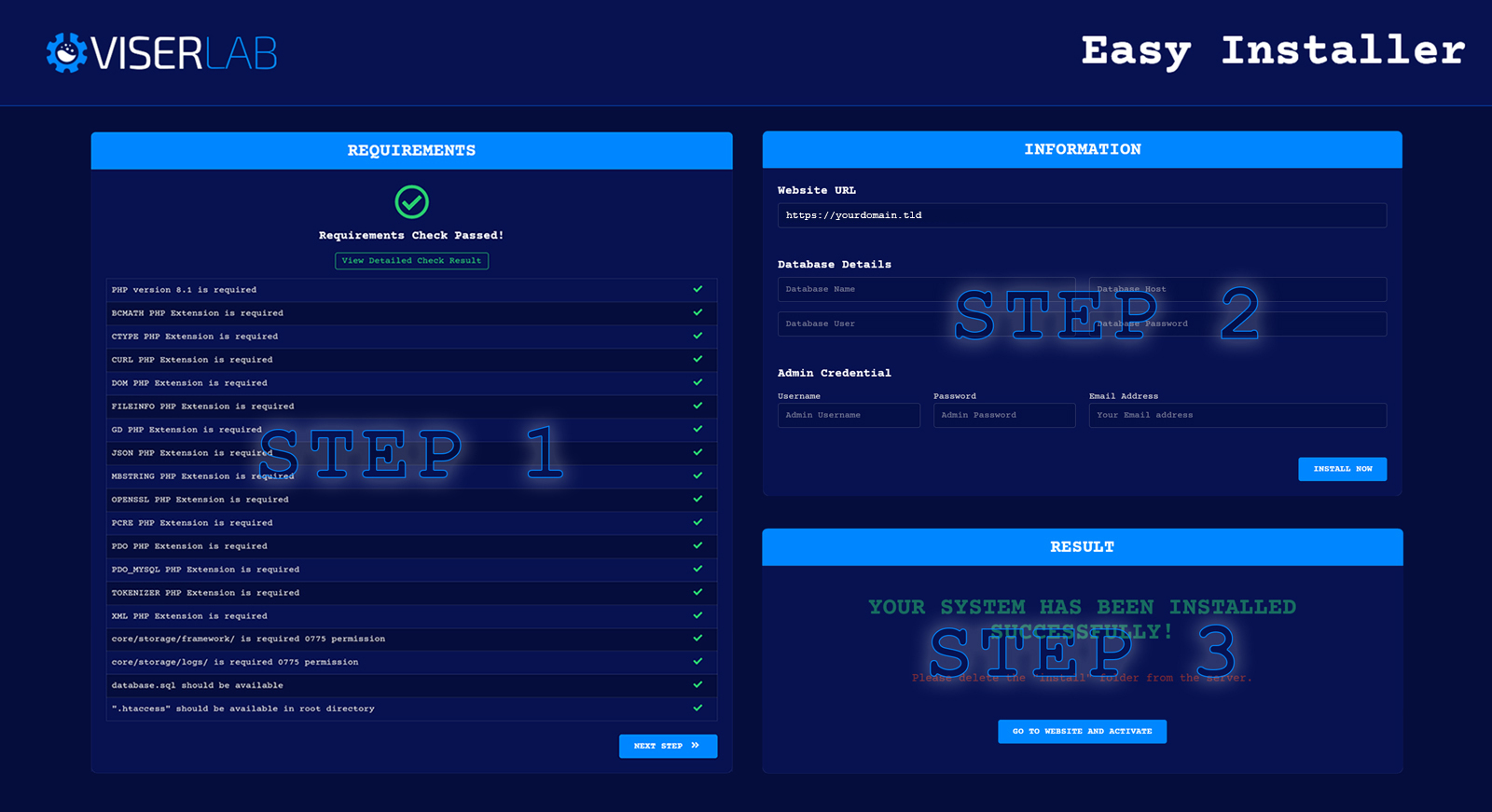
Installation is very easy with our Easy Installer. You can install yourself simply in few steps without any coding knowledge. We develop our installation system to make the installation process flawless and easy.
Installation Steps
- Upload the whole file to the server you have downloaded from download after purchase.
-
Extract/Unzip the file and move all files in the
laravelfolder to the main folder(where you want to install it). Make sure you have moved theindex.phpand.htaccessas well. -
Now please browse
http://
your-site-url/install/index.php and follow the process. Your system should be ready to use.
Installation Preview
Follow these steps to install Vinance - Digital Trading Platform
Activation
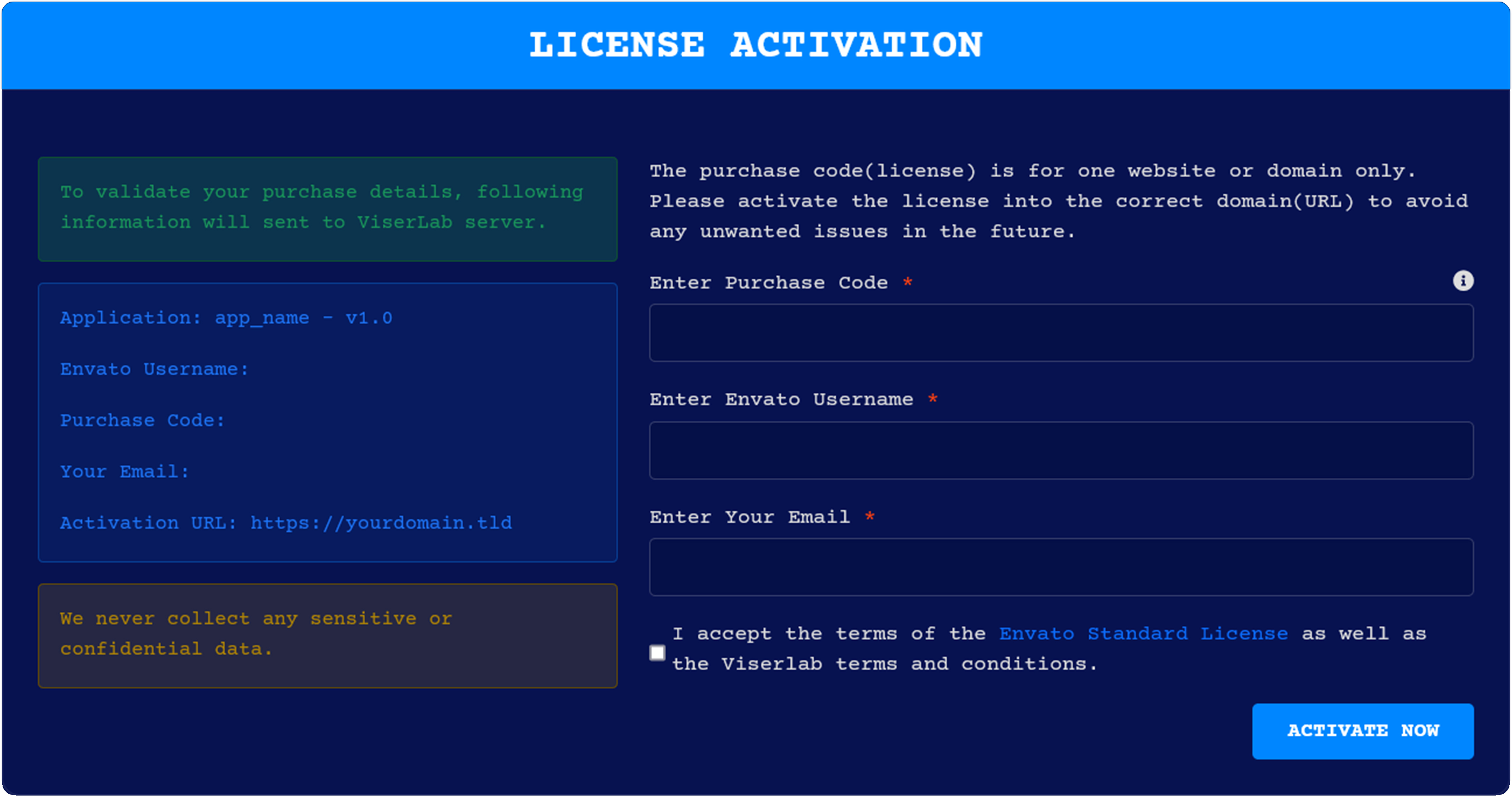
After installing the system you need to activate it. When you visit the system, you will be able to see the activation page. Just provide this information to activate and run your system. Your provided information will send to ViserLab server to verify and we never collect any sensitive or confidential data.
- Purchase Code To get purchase code Click Here.
- Envato Username: Your Envato username with which you bought system.
- Email: Provide your email for further communication.
Activation Preview
Currency Setting
Vinance provides a flexible Currency Settings system to manage currency name,symbol, image, rate, currency type Fiat or Crypto.
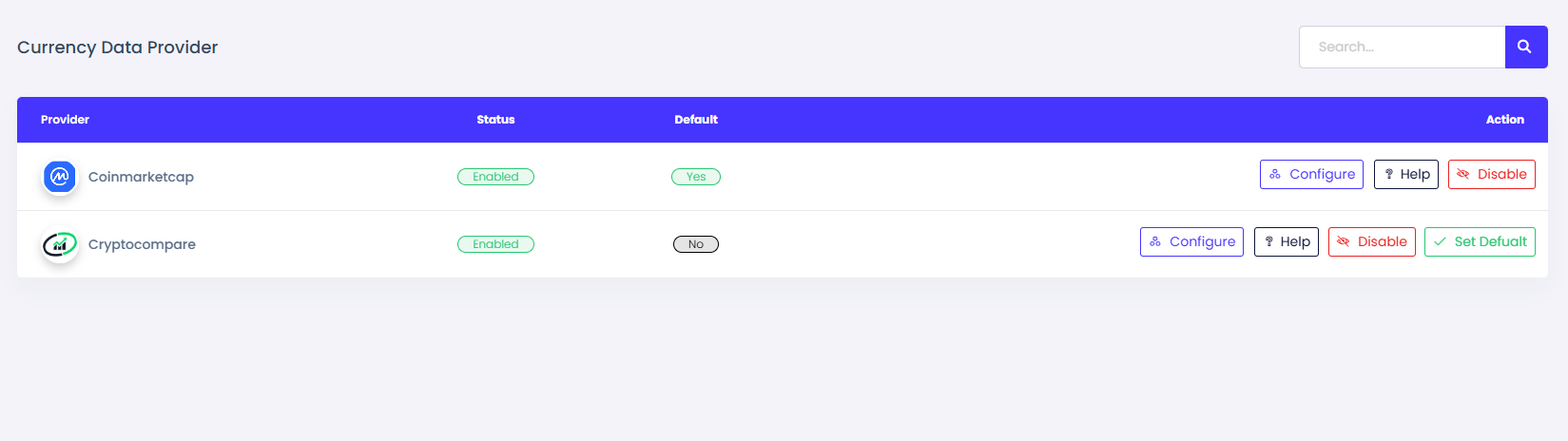
Currency Data Provider
- For currency setup first you need to go currency data provider page.
- Collect api key from your currency data provider. Either coinmarketcap or cryptocompare.
- Set your default currency data provider and submit your api key.
Manage Currency
- Go to currency management page. There are different page for fiat and crypto currency.
- You can manually add new currency or import currency from api.
- For manual currency add you need to fill up currency name, symbol, image, rate.
- Rate will be updated automatically from api after cron job run.
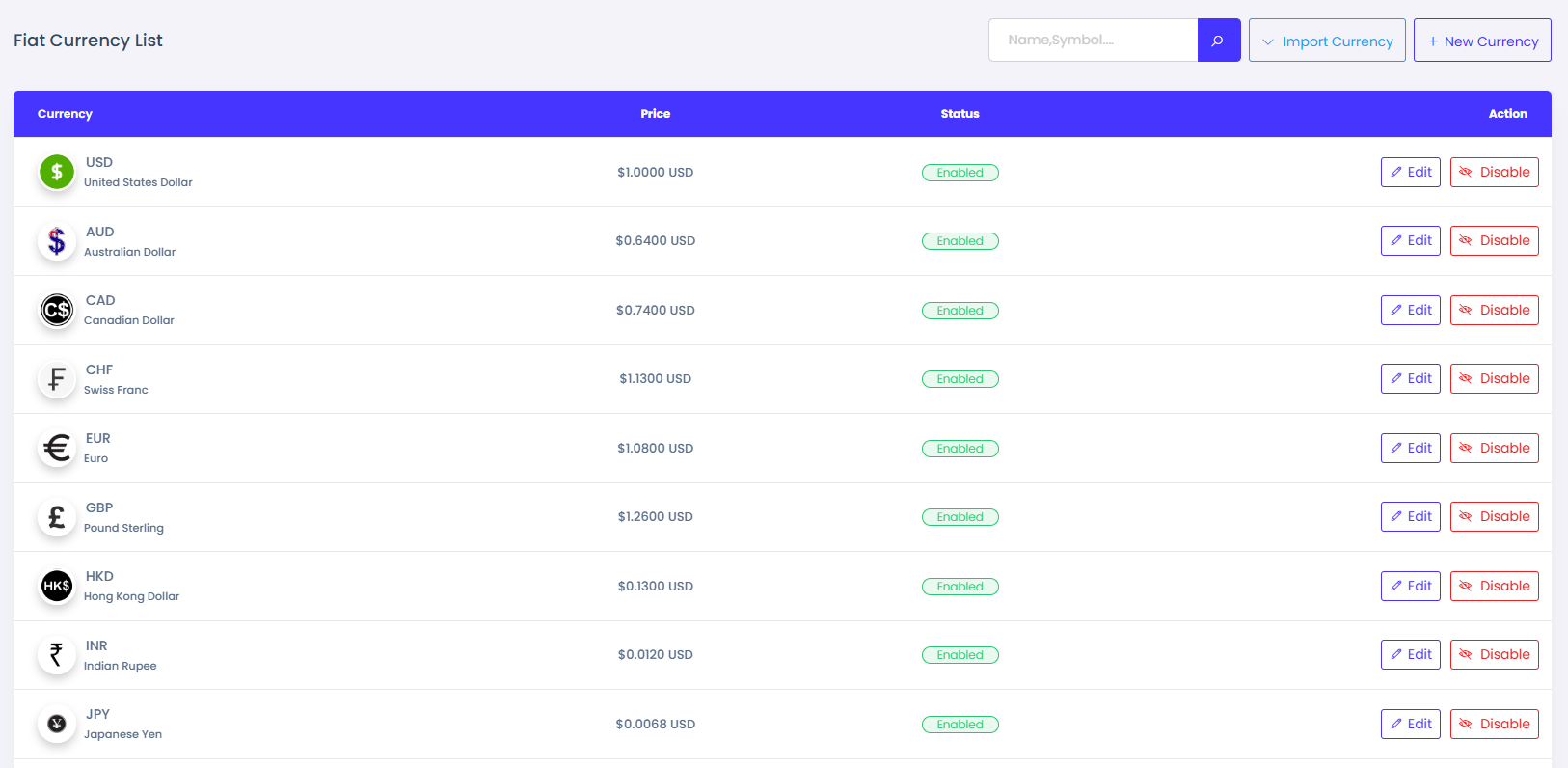
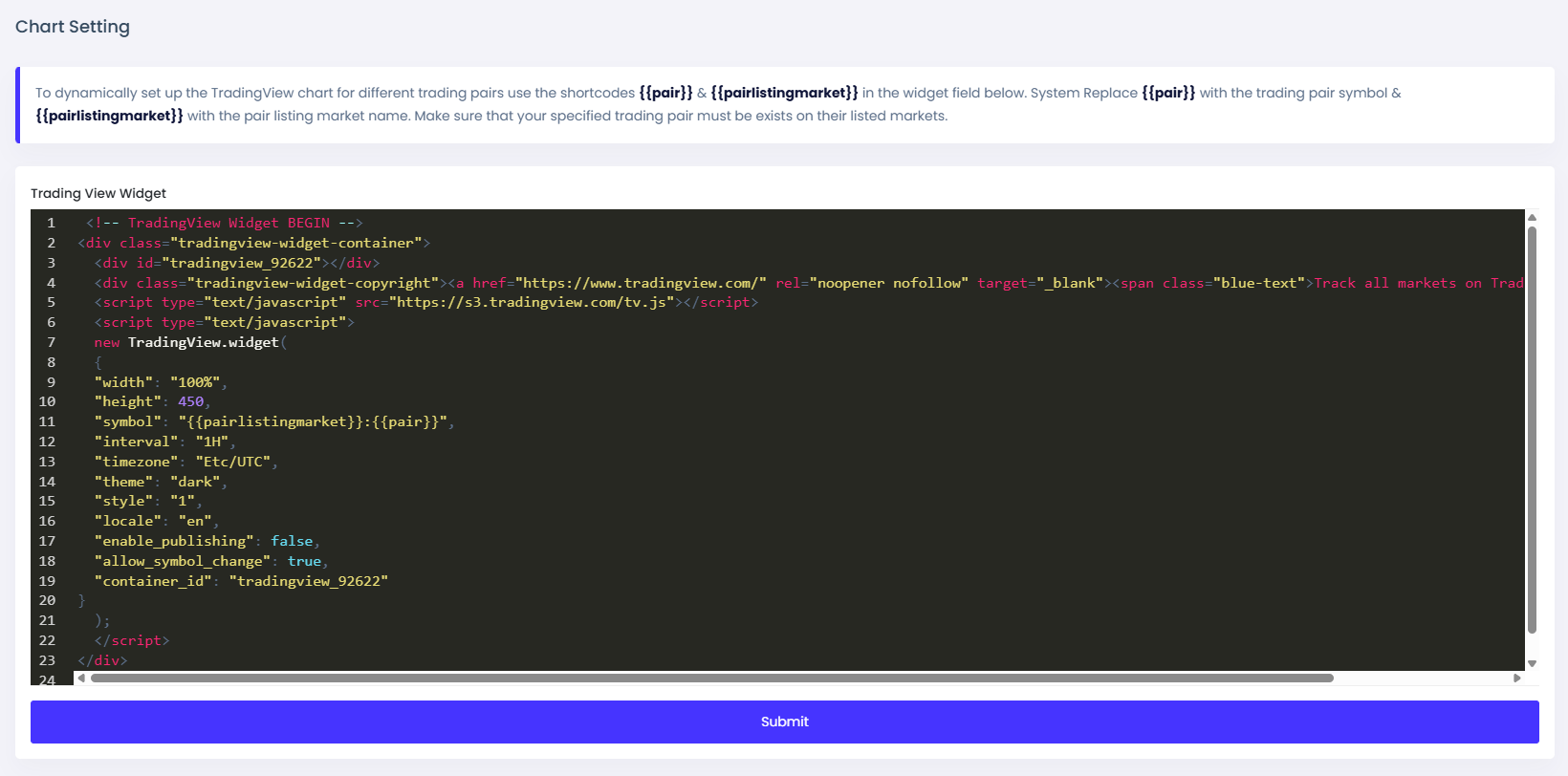
Chart Setting
Here the configuration for chart showing in spot and future trading page.
Chart Setting
- Here there are few configuration like chart width, height, style, theme etc.
- Also configuration for one bar interval, locate, timezone, etc.
Wallet Setting
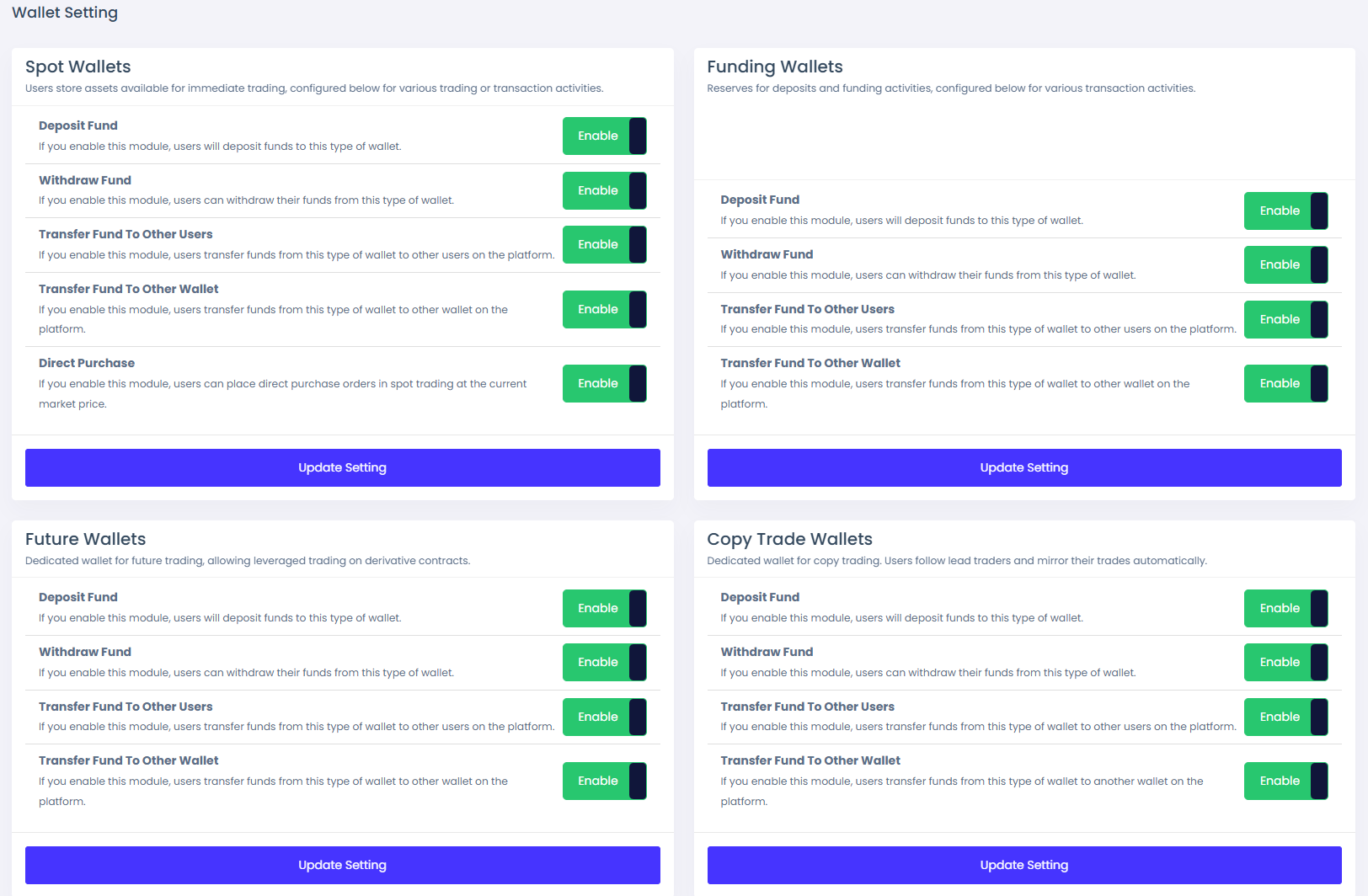
Configure four wallets: Spot Wallet, Funding Wallet, Futures Wallet, and Copy Trade Wallet.
Setting Overview
- There are several options that can be enabled or disabled, such as deposit funds, withdraw funds, transfer funds to other users, and transfer funds between wallets. These options are available for all four wallets.
- There is an additional option for the spot wallet: the direct purchase feature.
System Trade
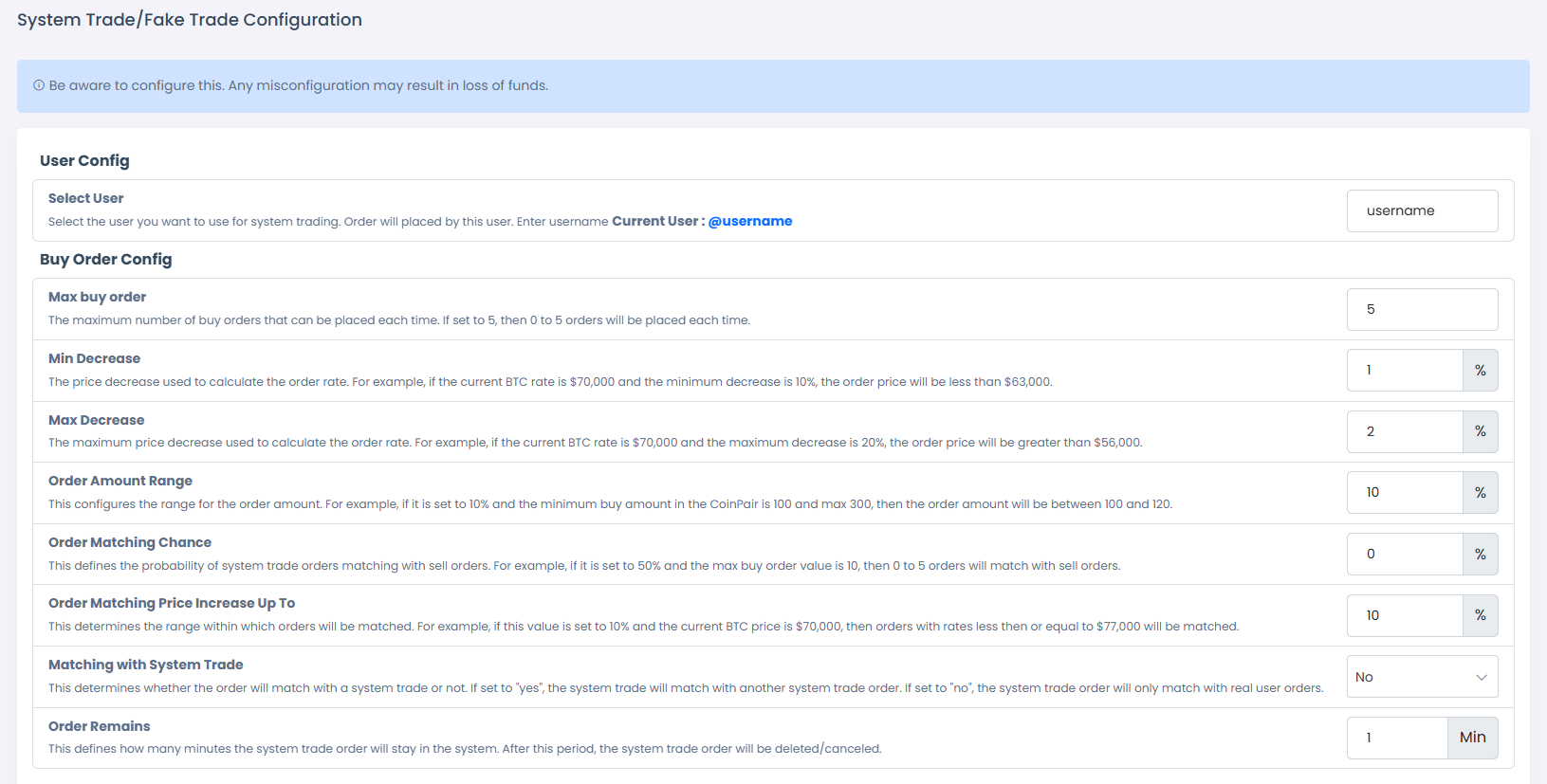
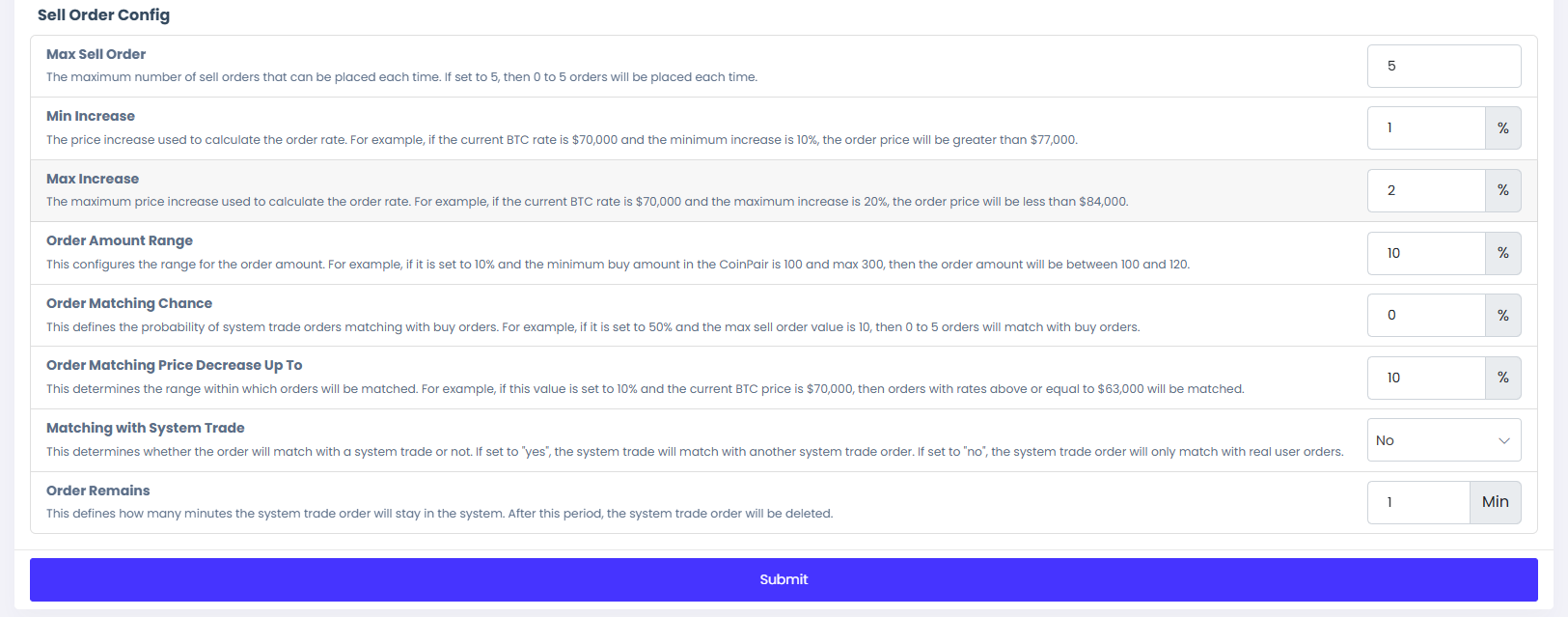
The system automatically places orders based on the configured settings.
Configuration
- First, you need to enable system trade from the system configuration page.
- From the system trade configuration page, select a user to place system trade orders by entering their username.
- Separate configurations are available for buy and sell orders.
- You can configure how many orders are placed each time, order amount, rate, matching chance with other orders, and how many hours the order stays active. After the time period, the order will be canceled.
Manage Referral
Easily manage referral programs, including commission rates, referral levels.
Configuration
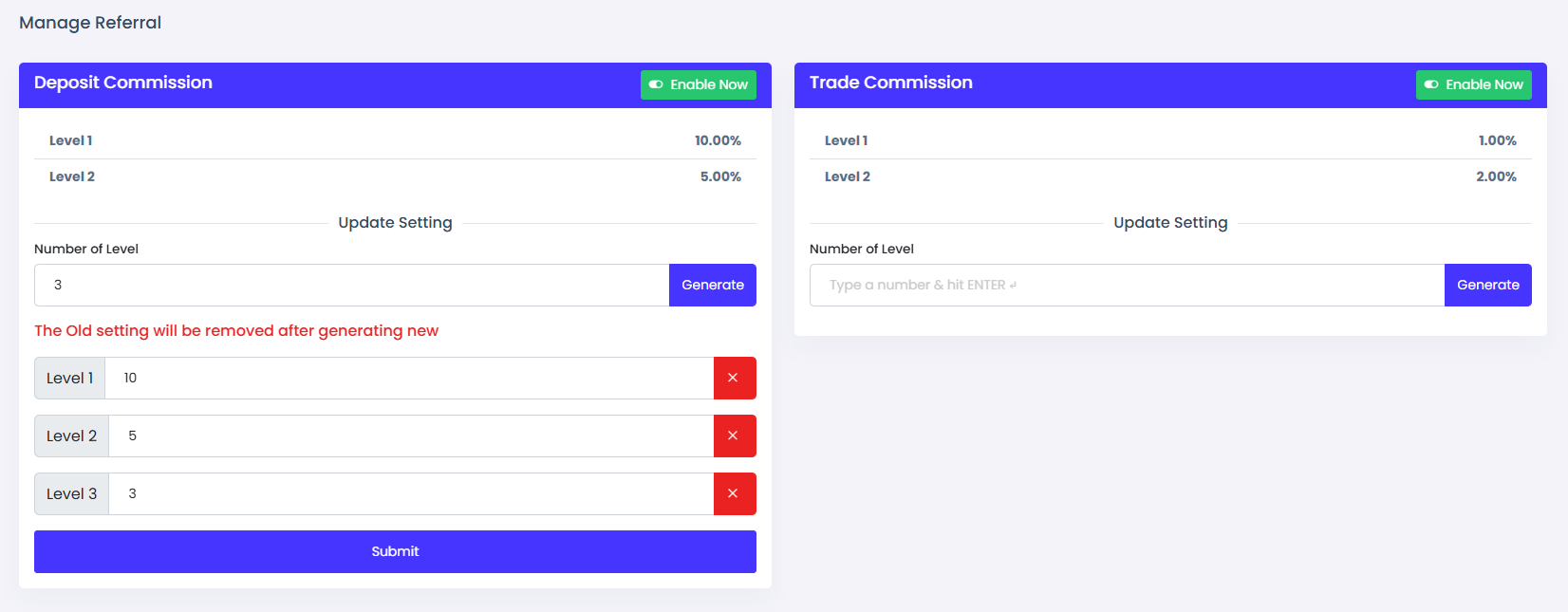
- There are two types of referral commission. Deposit referral commission and trade referral commission. You can enable or disable any of them.
- Deposit referral commission is the commission that is paid to the referrer when a user deposits money.
- Trade referral commission is the commission that is paid to the referrer when a user makes a trade.
- You can configure dynamic level referral commission. Enter number of level you want to give commission and click generate button.
- Then enter level wise referral commission and submit to save it.
Pusher
Pusher enables real-time synchronization of order placements and instant P2P messaging, providing fast, reliable, and seamless communication across the platform.
Configuration
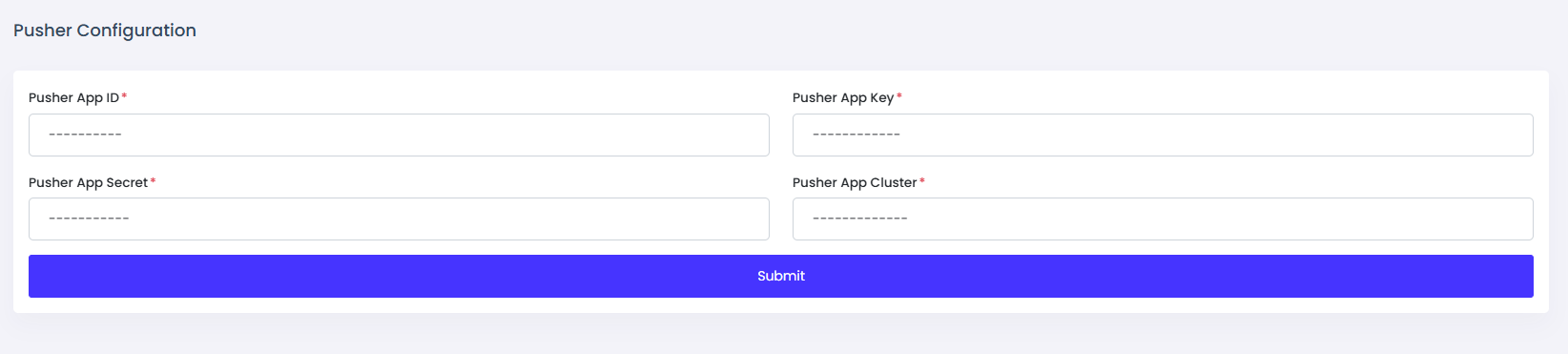
- Go to Pusher Configuration from the system configuration page.
- Register a pusher.com account, choose a pricing plan (free or paid), and create an app.
- From the app page, copy the App ID, App Key, App Secret, and App Cluster.
- Submit your App ID, App Key, App Secret, and App Cluster in the Pusher configuration.
Spot Trading
Spot trading provides fast, real-time cryptocurrency transactions with simple and transparent pricing.
Manage Market
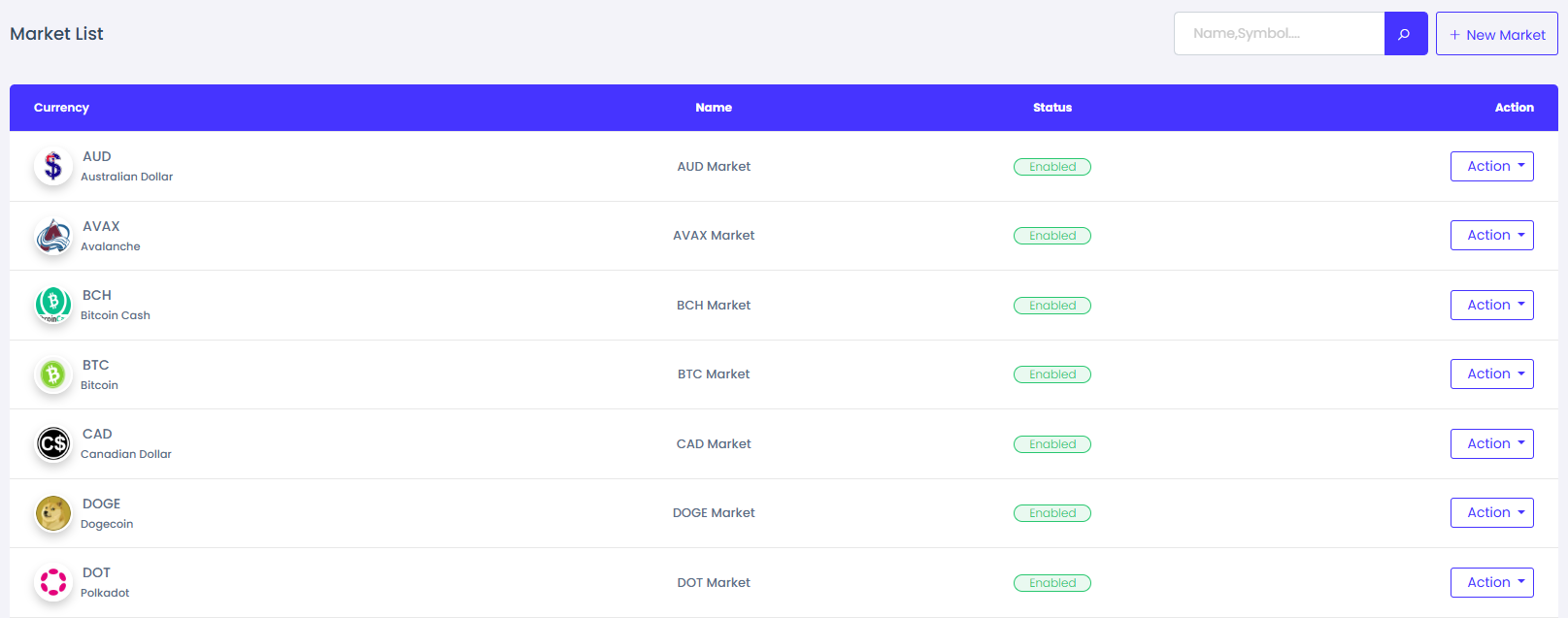
- For spot trading, you must first add a market.
- To add a market, provide the market name and select the market currency.
Coin Pair
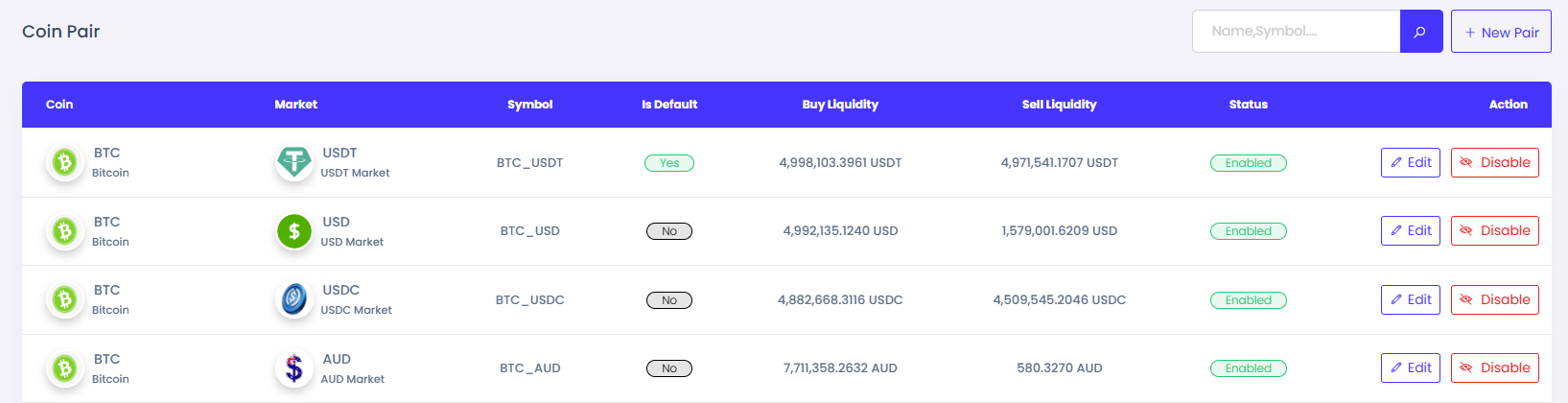
- After adding a market, create a new coin pair.
- To add a coin pair, select the currency and choose the market.
- Set the trading minimum and maximum buy amount. Use -1 for no maximum limit.
- Set the trading minimum and maximum sell amount. Use -1 for no maximum limit.
- Set buy and sell charges. Enter the listed market such as Binance, Bybit, Bitget, Coinbase, etc.
- Choose the trade type: spot trade, binary trade, or both.
Manage Order
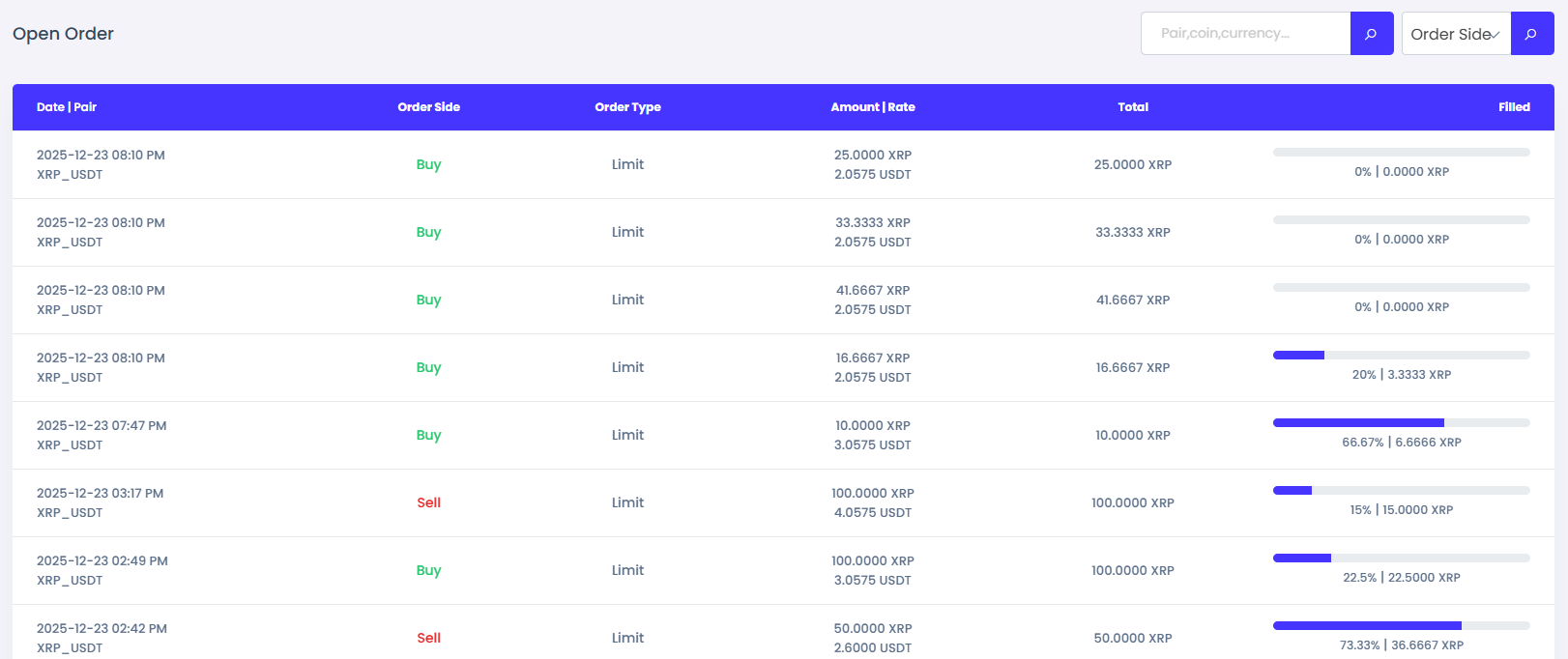
- After a user places an order, you can view all orders in the manage order section.
- In the open order page, you can see all open orders and how much of each order is filled.
- On the order history page, you can view all past order records.
- On the trade history page, you can see all successfully completed trades.
Copy Trading
Copy trading is a feature that allows users to follow the trading activities of other traders.
Configuration
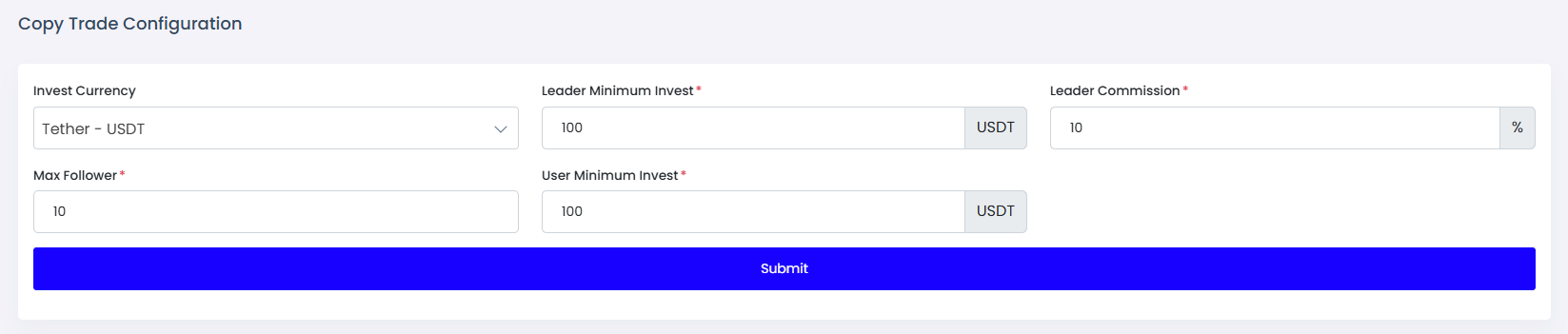
- First, you need to enable copy trading from the system configuration page.
- Then go to the configuration page inside the Copy Trade menu.
- Set the invest currency, leader minimum investment, leader profit commission from user PnL when trades are closed, maximum followers allowed per leader, and user minimum investment.
Manage Profile
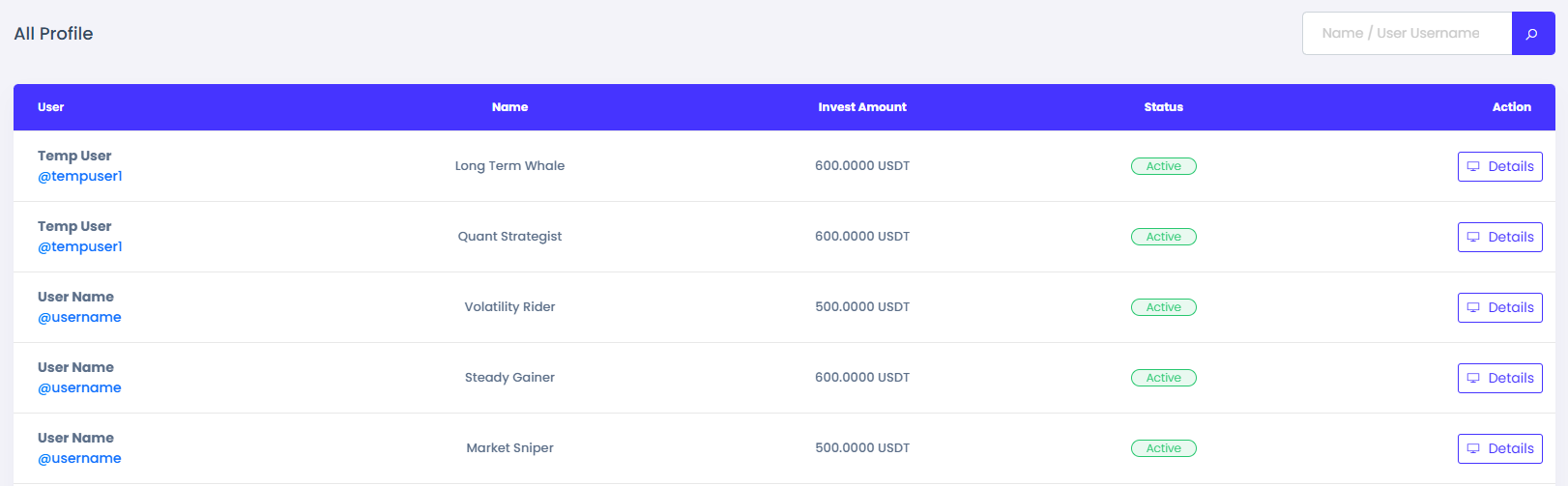
- After configuration, when a user applies to become a copy trader leader, you will see them in the Pending Leader list.
- You can review the application details and choose to approve or reject the request.
- Once approved, the profile will be visible on the copy trader list page on the frontend, and users can invest in it.
- A leader can place spot orders as a normal user or as a copy trader leader, controlled from the leader profile page.
- When a follower closes a copy trade with positive PnL, the leader receives a profit commission.
Binary Trading
Quickly trade assets by predicting price movements with fixed outcomes.
Coin Pair
- For binary trade first you need to complete all process from spot trade.
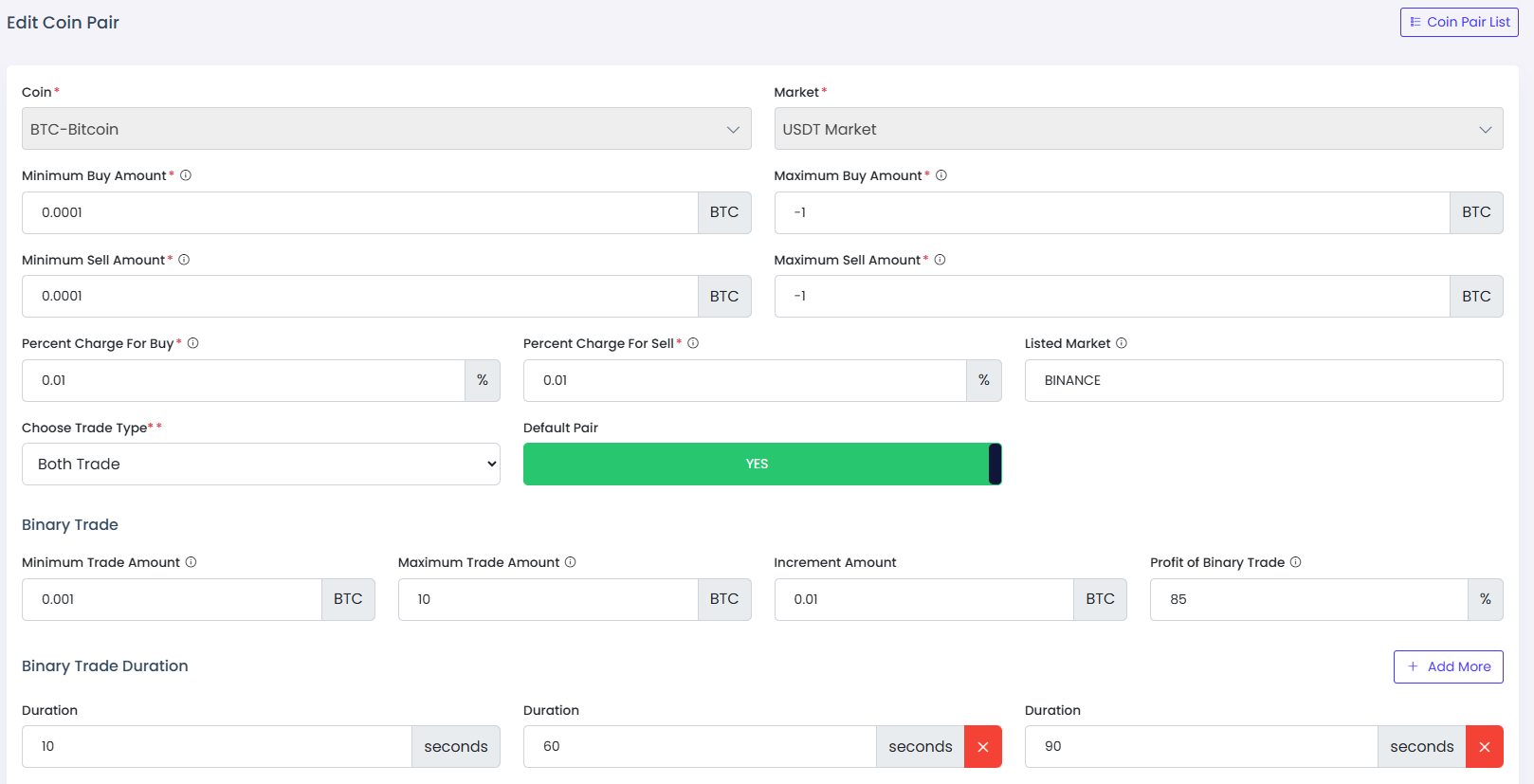
- Then from coin pair add/edit page set the trade type binary trade or both trade.
- Set minimum and maximum trade amount, increment amount means how much amount increse when the the plus icon button in binary trading page. And the profit percentage that you want to give the user when they win the trade.
- Add multiple duration support for binary trades.
Manage Binary
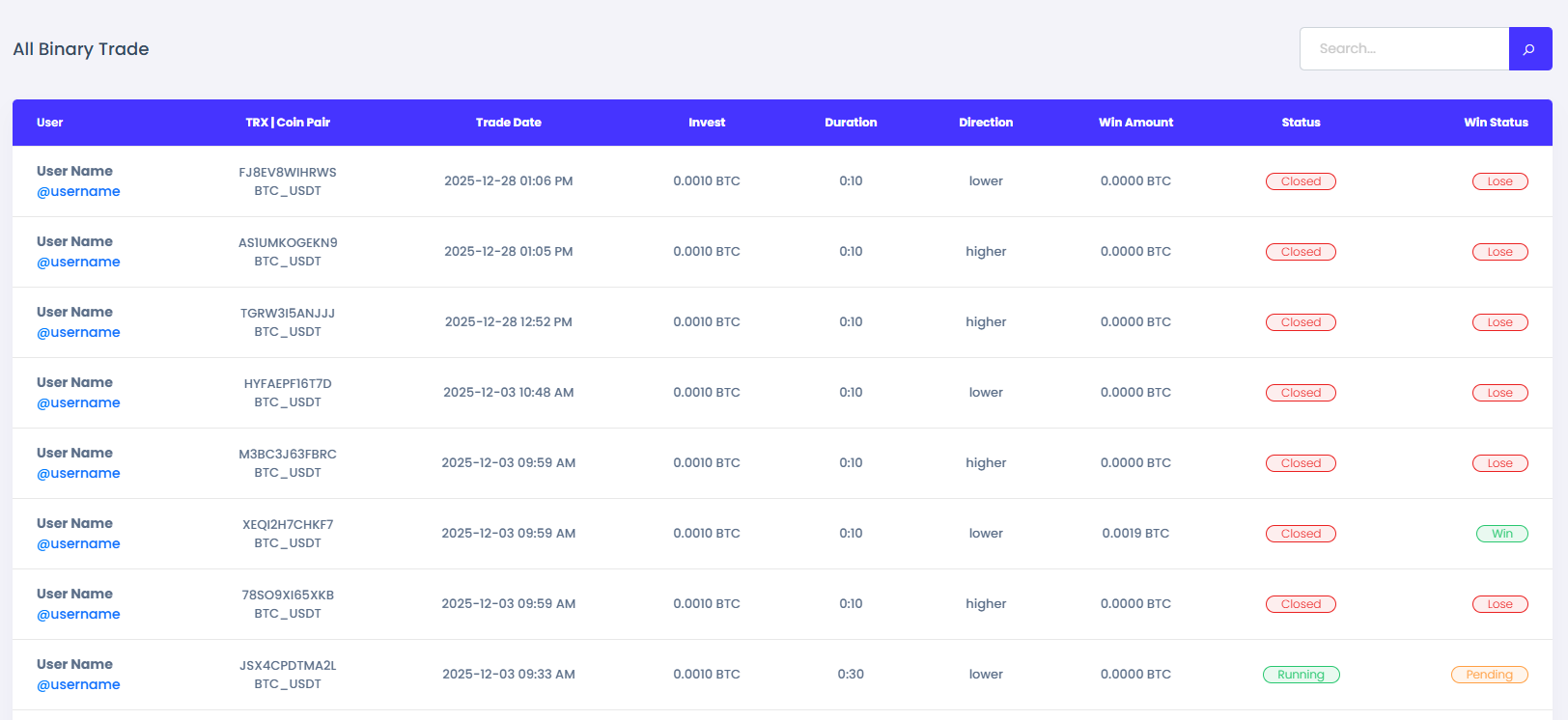
- Inside this menu you will see all trades list. Running trades page show all running trades.
- Win trades page show all win trades via user. Loss trades page show all loss trades via user. All trades page show all trades.
- If any trades incomplete when user exists from trading page after place trade. Those trades will be complete via cron job.
Future Trading
Predict market movements and trade futures for amplified profit potential.
Future Pair
- First, you need to enable futures trading from the system configuration page.
- Next, add a future pair using the options available inside the Future Trade menu.
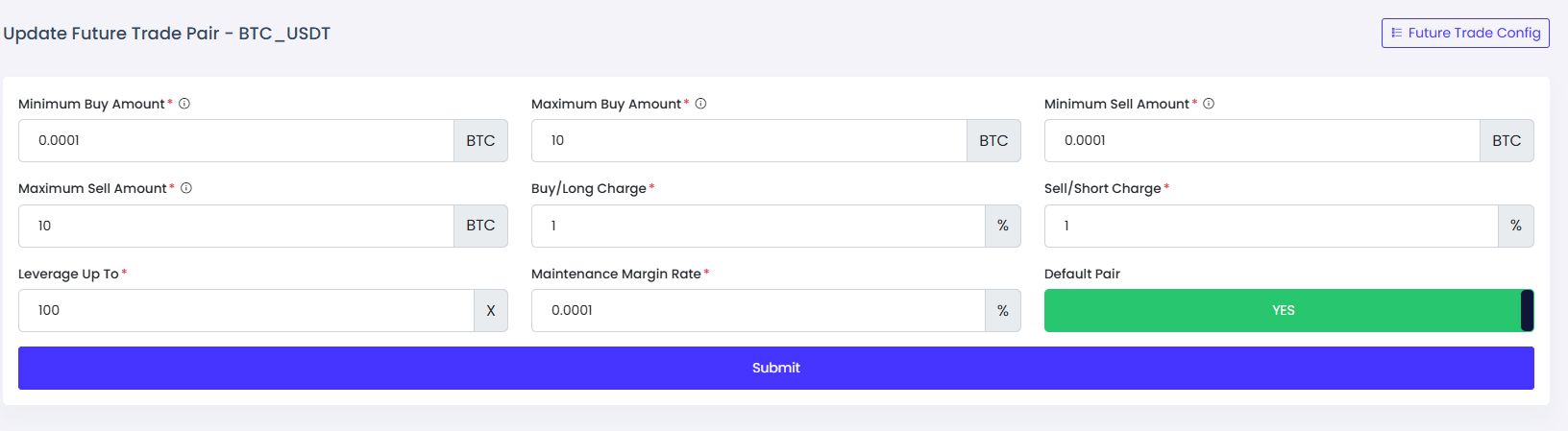
- To add a future pair, select the coin pair, minimum and maximum buy amount, minimum and maximum sell amount, buy charge, sell charge, leverage, maintenance margin rate, and whether it is the default pair.
- Leverage: Leverage in futures trading allows users to control larger positions using smaller capital, amplifying potential profits and risks.
- Maintenance margin rate: The maintenance margin rate is the minimum balance required to keep a futures position open and avoid liquidation.
Future Order
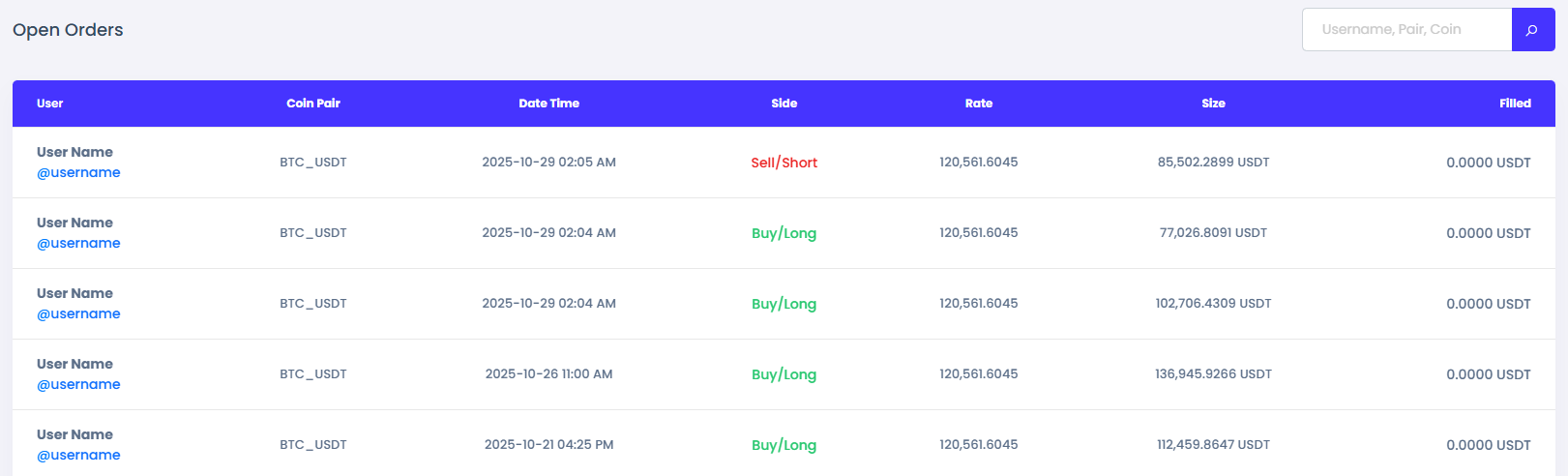
- Inside this menu, you will find future open orders and order history.
- You can also view open positions and all position history.
- The trade history shows all trades, and the future pairs section displays all added future pairs.
P2P Trade
Peer-to-peer platform for fast, safe, and convenient crypto trading.
Charge Setting
- From the system configuration page, go to the Charge Setting page.
- Update the P2P trade charges as needed.

Payment Method
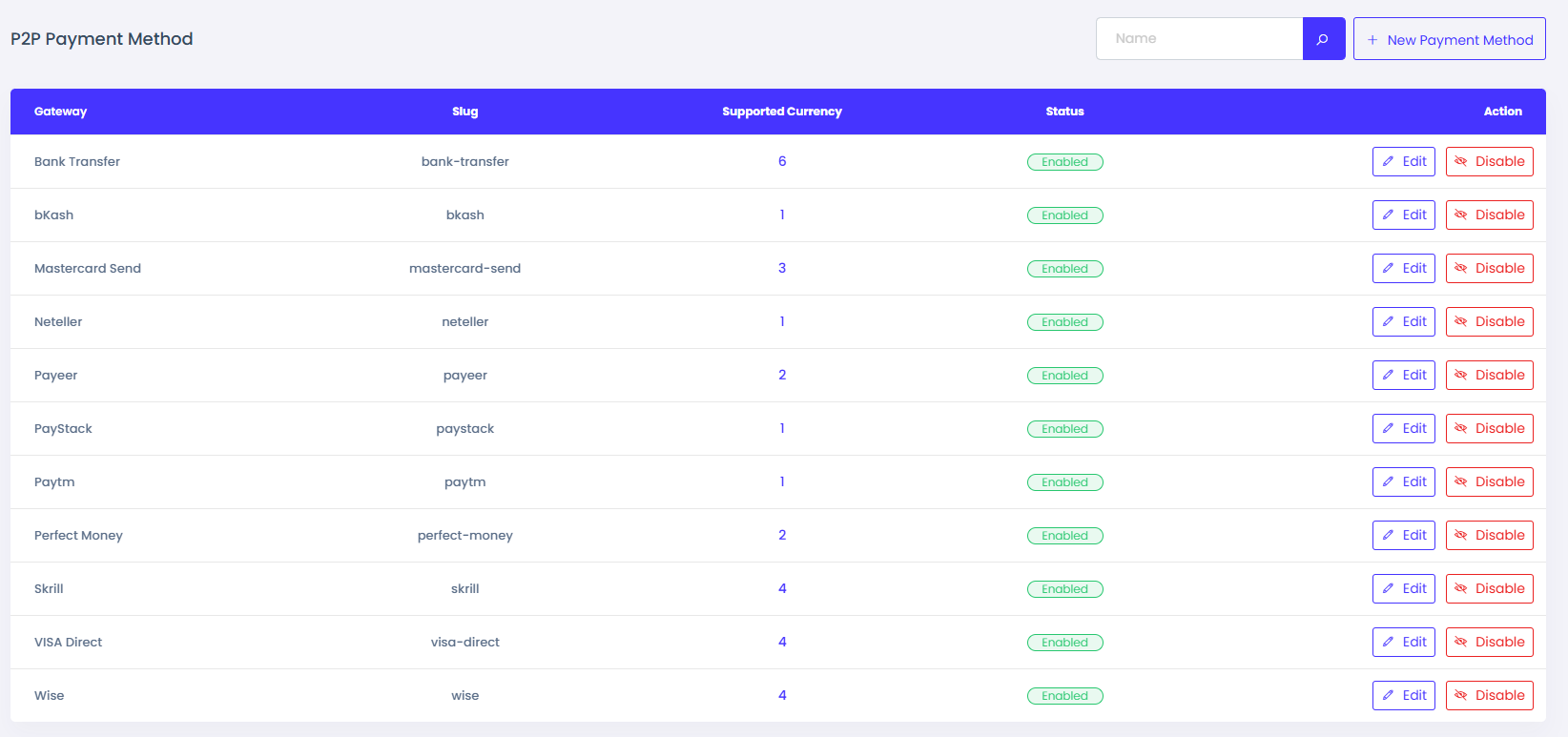
- Inside Manage P2P, go to the Payment Method page.
- Add a new payment method by entering the method name, slug, and supported currencies.
- Also add user data fields that users need to fill in for P2P trades.
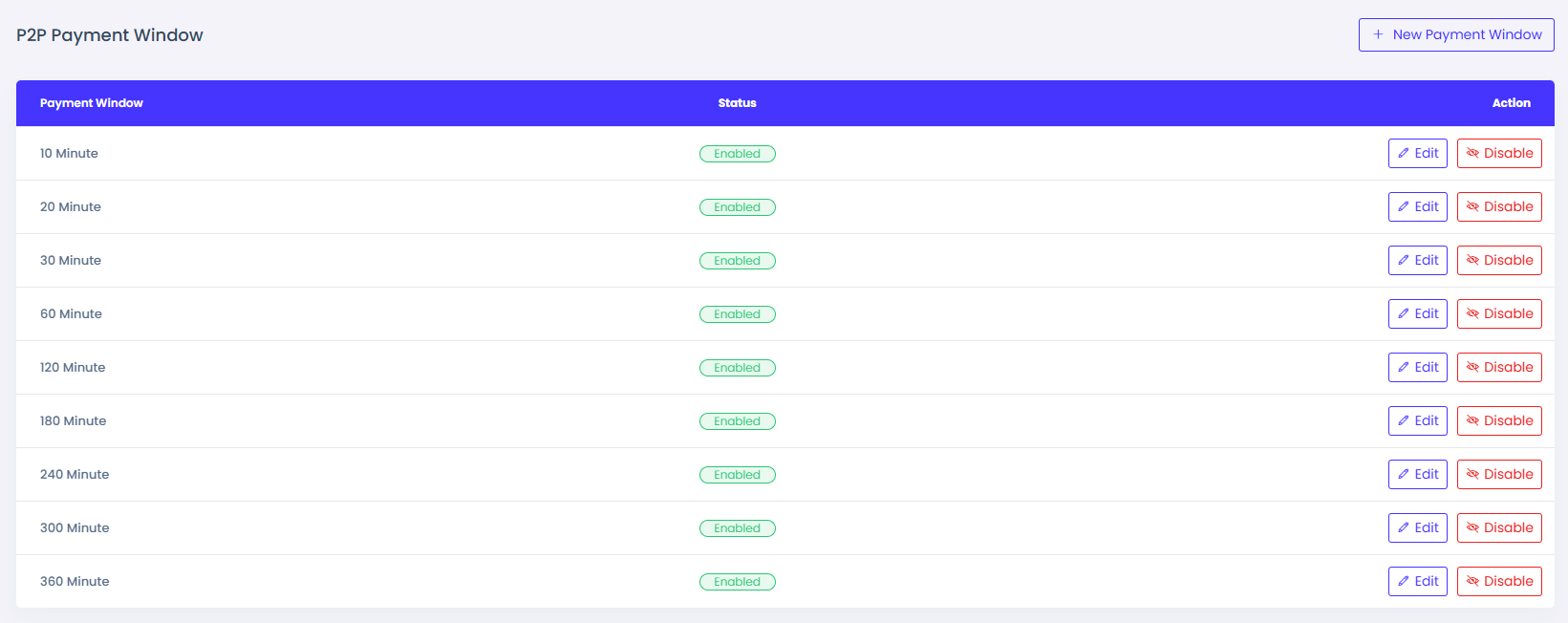
Payment Window
- Payment windows are used for P2P trade payment durations. You can add multiple windows, and users select one for their P2P ad.
- Inside Manage P2P, go to the Payment Window page.
- Enter the duration in minutes for a new payment window.
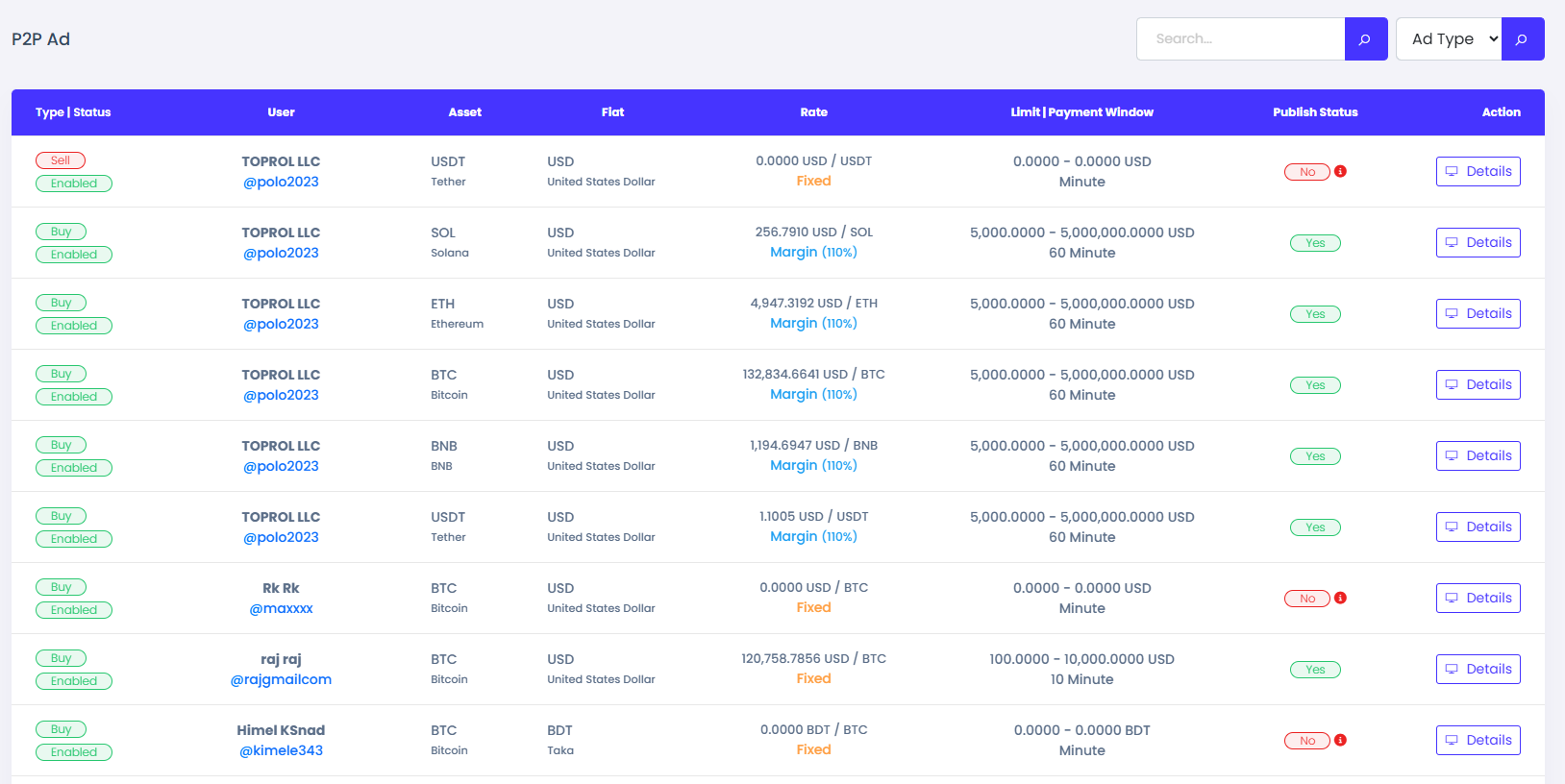
Manage Ad & Trade
- Inside Manage P2P, go to the Manage Ad page.
- Here you can find all ads, their status, and detailed information.
- Running trades, reported trades, and completed trades display the relevant trade data.
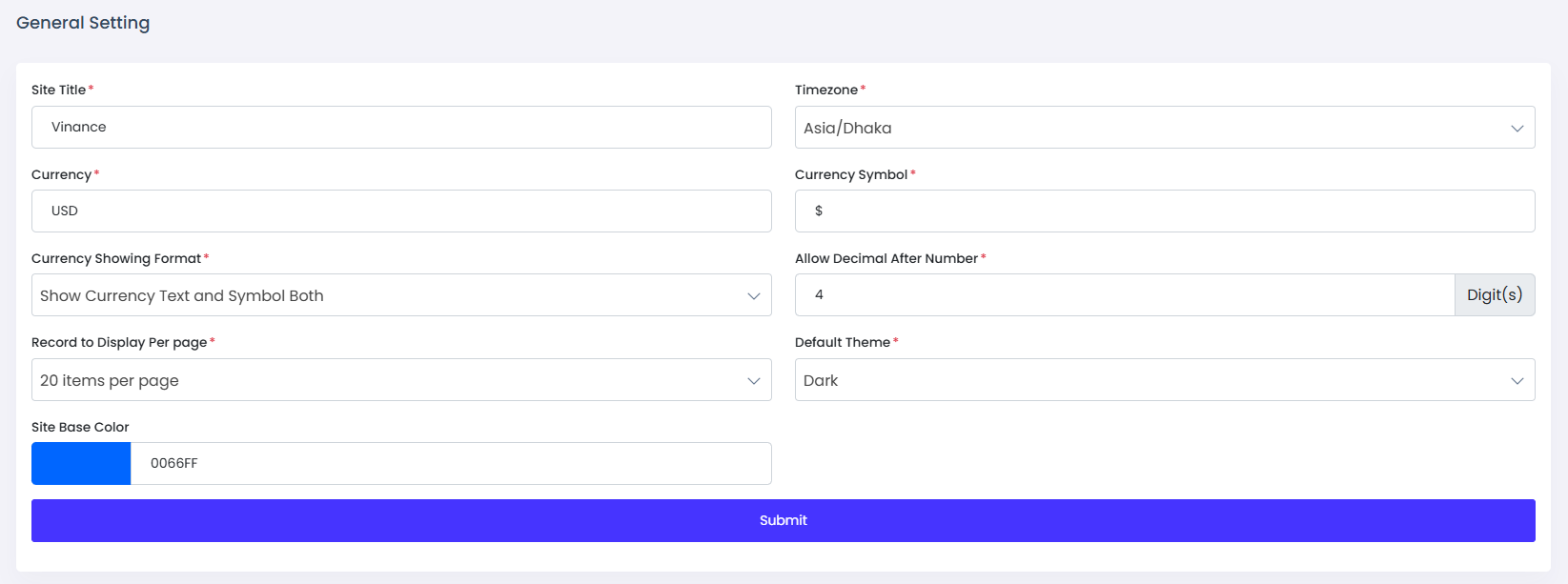
General Setting
The General Settings page allows administrators to configure essential site-wide settings for the Vinance - Digital Trading Platform. Below are the available options.
Site Title
- The Site Title is the name of your system.
- It appears in the browser tab, and various parts of the platform.
Timezone
- Set the default timezone for the system.
- This affects timestamps, order records, and user activities.
- Example: America/New_York, Asia/Dhaka
Currency
- Set the default currency for transactions.
- Example: USD, EUR, GBP, INR
Currency Symbol
- Define the symbol associated with the selected currency.
- Example: $ for USD, € for EUR, ₹ for INR
Currency Showing Format
- Define how the currency should be displayed across the site.
-
Example formats:
- $100.00 (Show Currency Symbol Only)
- 100.00 USD (Show Currency Text Only )
- $100.00 USD (Show Currency Text and Symbol Both )
Allow Decimal After Number
- Allow decimal places after numbers when displaying any amount.
- Example: If set to 4, the number will be shown as 23.8453
Records to Display Per Page
- Set the number of records displayed per page in lists such as products, orders, and users.
- Example: 20, 50, 100
Default Theme
- Set the default theme for the website. When the website is first loaded, this theme will be applied.
- Theme will be dark or light.
Base Color
- Choose the primary color for the website’s theme.
- This color is applied to buttons, links, and other UI elements.
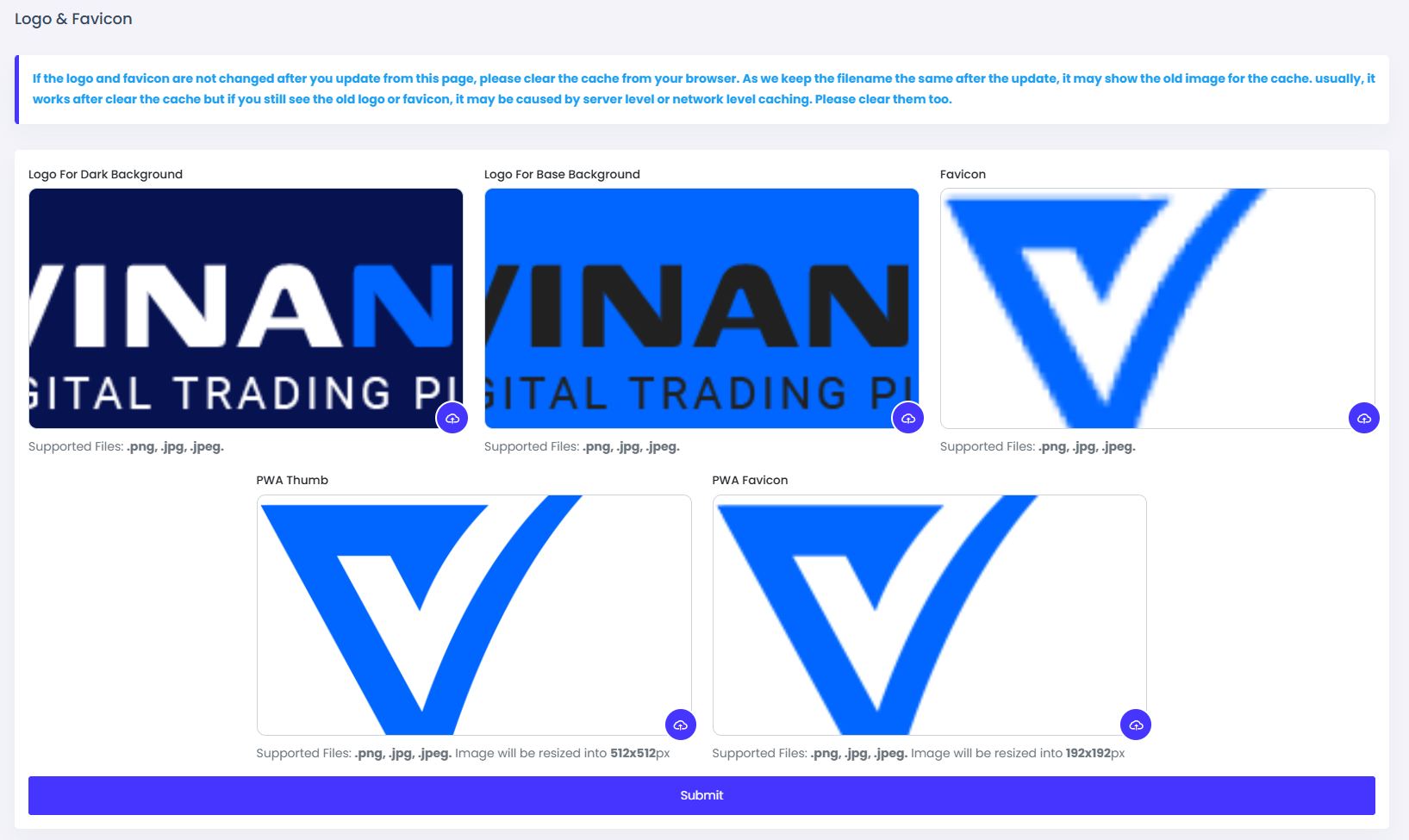
Logo & Favicon
The Logo & Favicon settings allow you to upload branding elements for your Vinance script. These assets help create a professional and recognizable identity for your platform.
Logo
- Recommended Format: PNG with a transparent background
Favicon
- The favicon is the small icon displayed in the browser tab.
- Recommended Size: 32x32px or 48x48px
PWA Thumb
- The PWA thumbnail is the icon displayed when the application is installed or added to the device home screen
- Recommended Size: 512x512px
PWA Favicon
- The PWA favicon is the small icon displayed in the browser tab.
- Recommended Size: 192x192px
System Configuration
The System Configuration page allows administrators to manage essential settings for the backend functionality of Vinance – Digital Trading Platform. These settings control various aspects of the system, such as Email Verification.
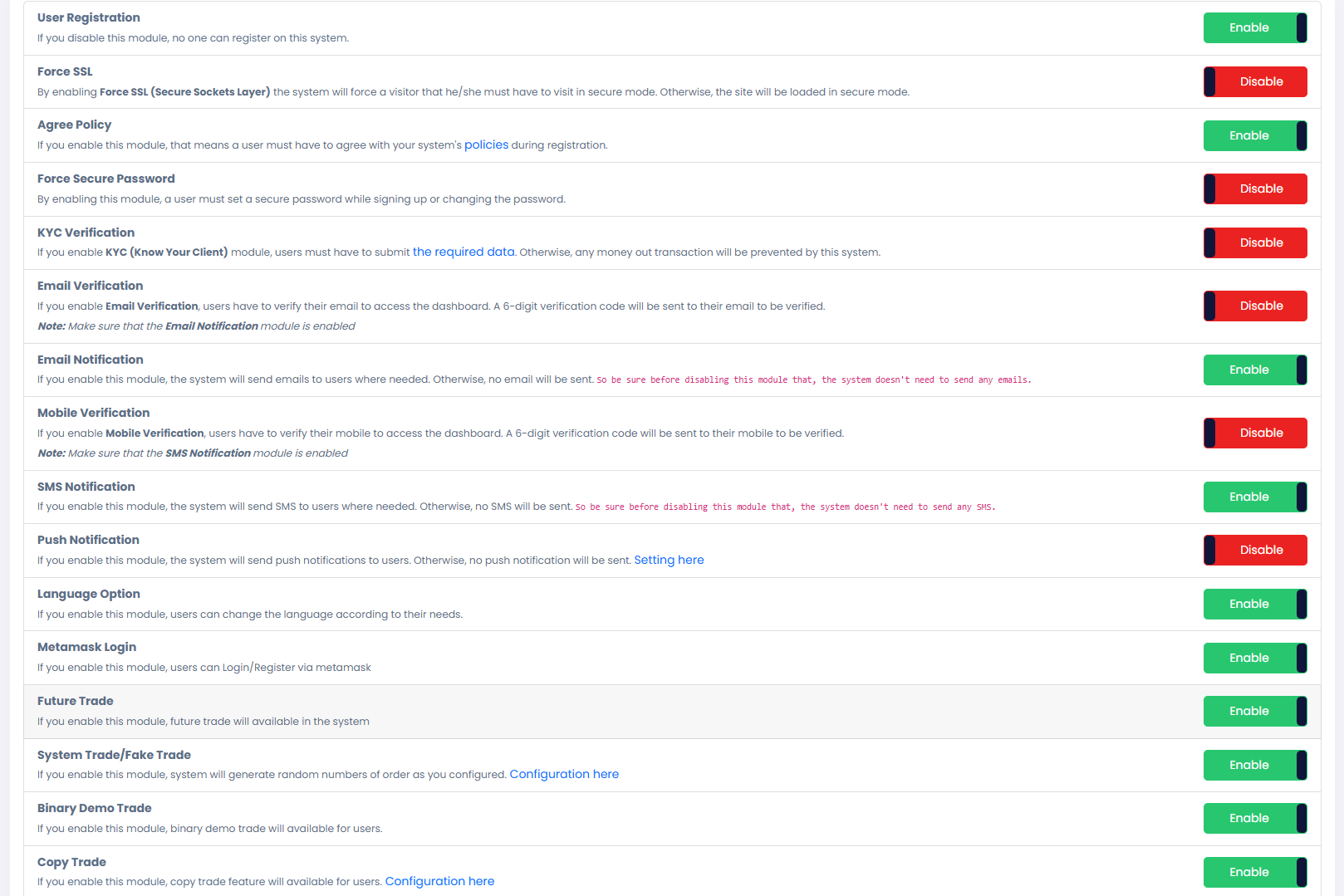
KYC Setting
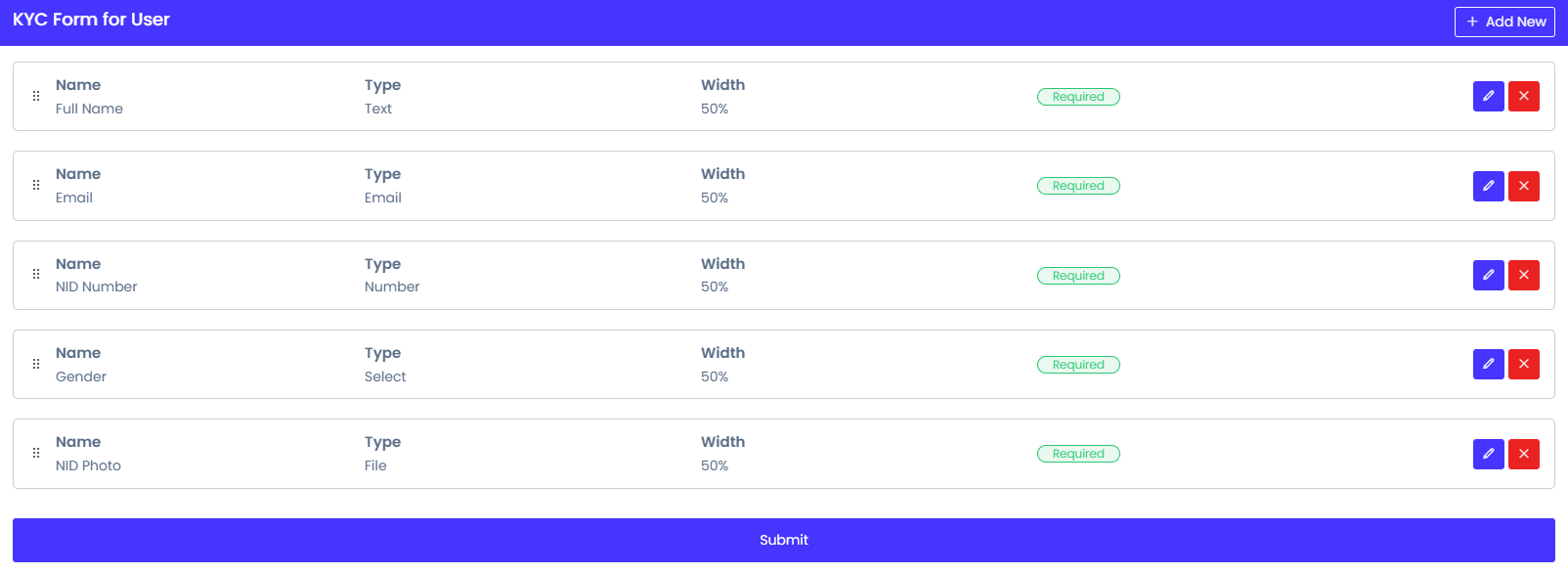
Vinance includes KYC (Know Your Customer) verification to ensure secure transactions and compliance with platform policies. This feature helps verify user identities before they can perform certain actions like withdrawals or accessing restricted features.
KYC Verification Process
- Submit Required Documents
- Admin Review & Approval
- Access Granted
Notification Setting
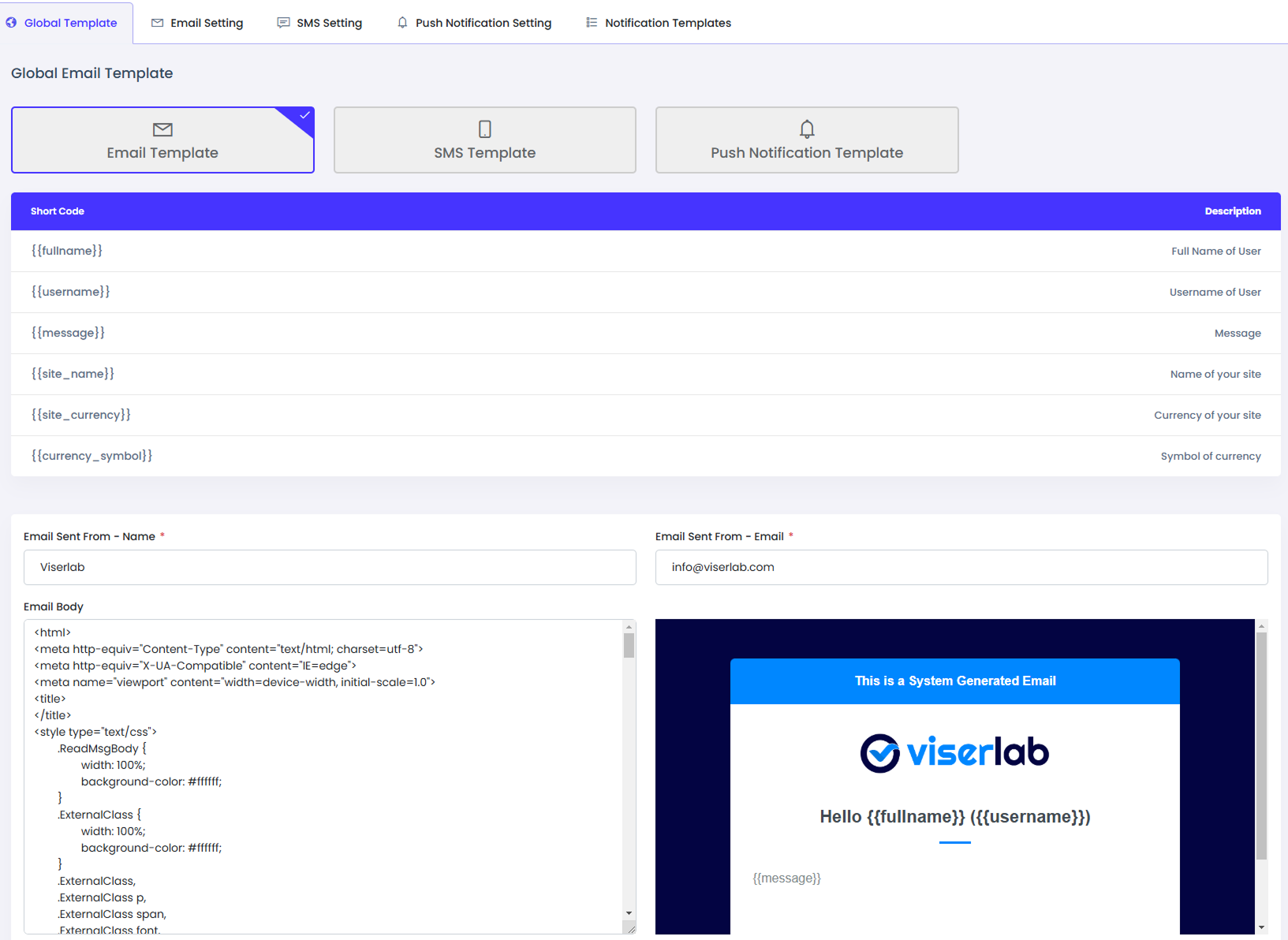
Vinance provides a flexible Notification Settings system to manage how users receive updates and alerts. You can configure different types of notifications based on your platform’s needs.
Global Template
- A predefined structure for all notifications.
- Ensures consistency across emails, ane SMS.
- Can be customized with dynamic placeholders for user-specific details.
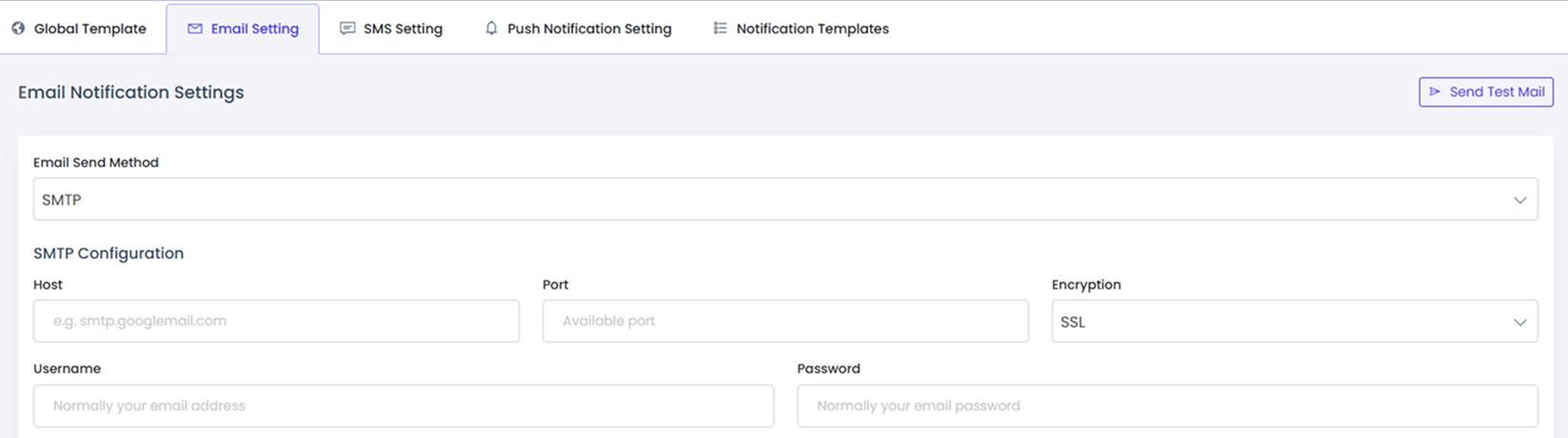
Email Setting
- Configure email notifications for user activities, purchases, updates, and promotions.
- Requires SMTP setup or third-party email services (e.g., Mailjet, SendGrid).
- Allows enabling/disabling email notifications for specific events.
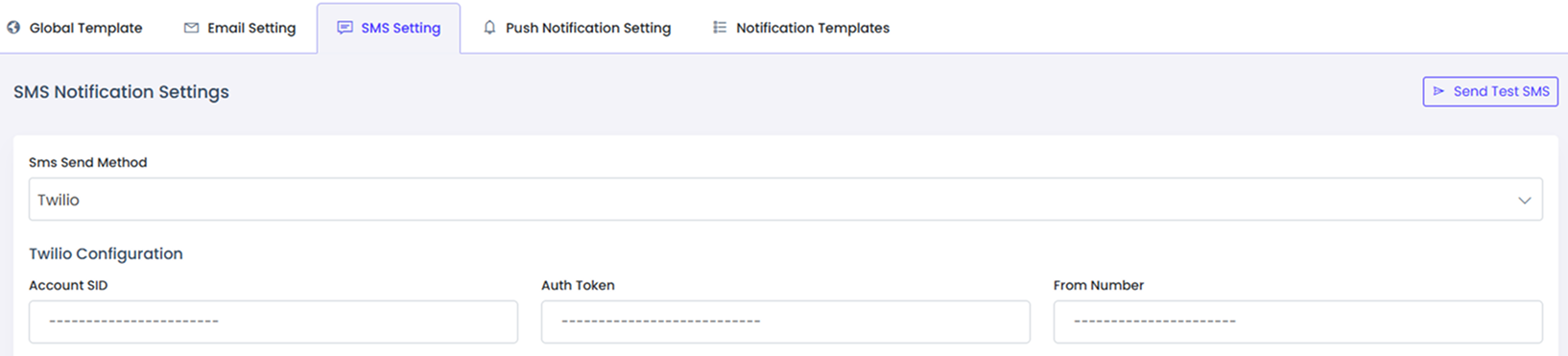
SMS Setting
- Send important notifications via SMS for order updates or alerts.
- Requires integration with an SMS gateway (e.g., Twilio, Nexmo, Clickatell, Infobip, Message Bird, SMS Broadcast, Text Magic, Custom API).
- Enable/disable SMS notifications based on preference.
Payment Gateways
Vinance supports two types of payment gateways to process transactions securely: Automatic Payment Gateways and Manual Payment Gateways.
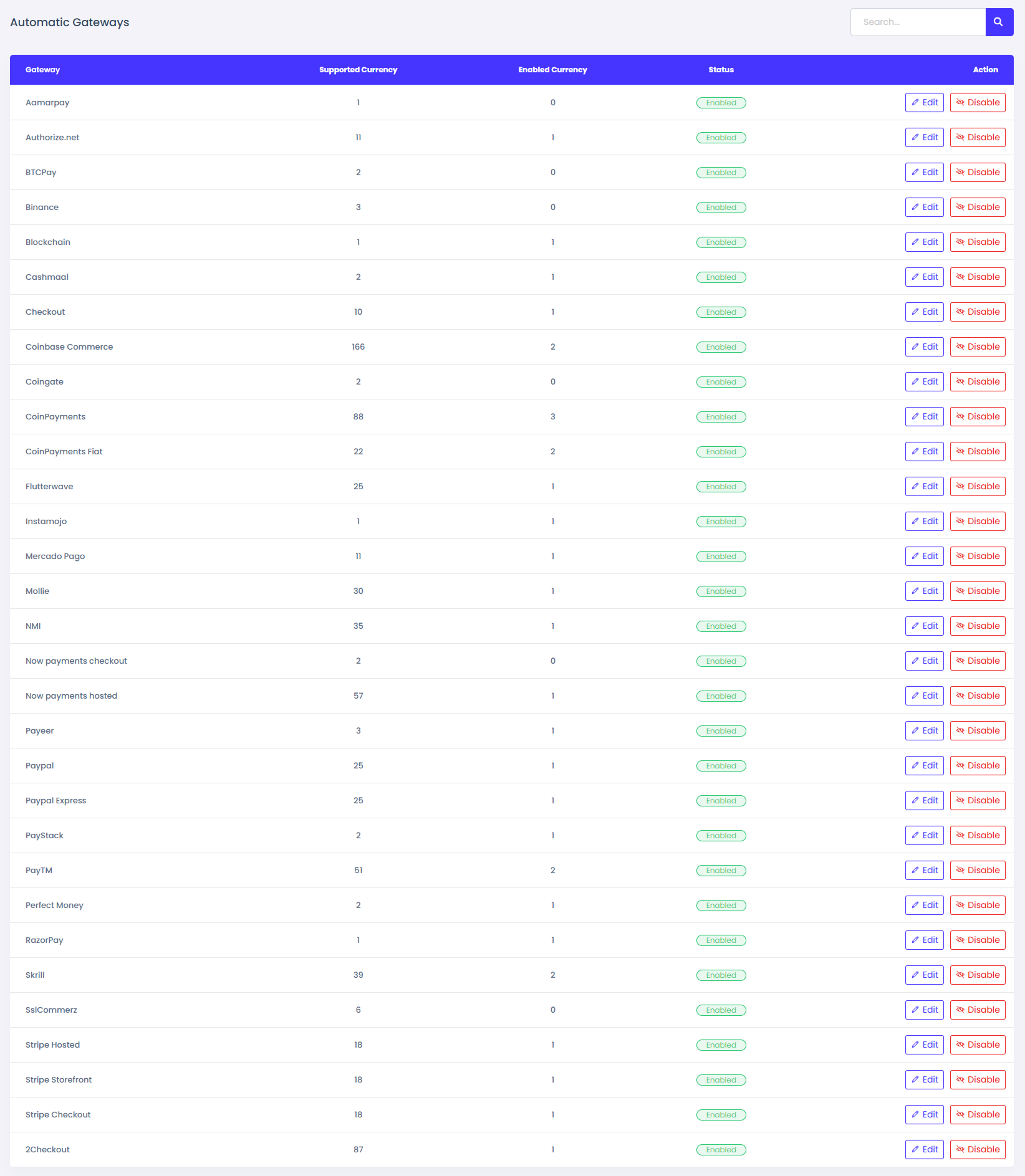
Automatic Payment Gateway
- Payments are processed instantly through third-party payment providers.
- Requires API integration with supported payment services.
- Transactions are completed automatically without manual verification.
- Example: Aamarpay, Authorize.net, BTCPay, Binance, Blockchain, Cashmaal, Checkout, Coinbase Commerce, Coingate, CoinPayments, CoinPayments Fiat, Flutterwave, Instamojo, Mercado Pago, Mollie, NMI, Now payments checkout, Now payments hosted, Payeer, Paypal, Paypal Express, PayStack, PayTM, Perfect Money, RazorPay, Skrill, SslCommerz, Stripe Hosted, Stripe Storefront, Stripe Checkout, 2Checkout
Manual Payment Gateways
- Payments are processed manually after verification.
- Users submit payment details (e.g., bank transfer, offline payments).
- Admin must verify and approve the transaction before confirming the order.
- Example: Bank Transfer, Cash Payment, Cryptocurrency Transfer.

How to Setup Payment Gateways
The main problem of online business is accepting the payments. And we tried our level best to solve this problem. We have added 30+ Automated online payments gateways! YES, 30+ gateways. You can control all of them from the admin panel and you do not need any coding knowledge for that. Additionally, you can set manual gateways as well.
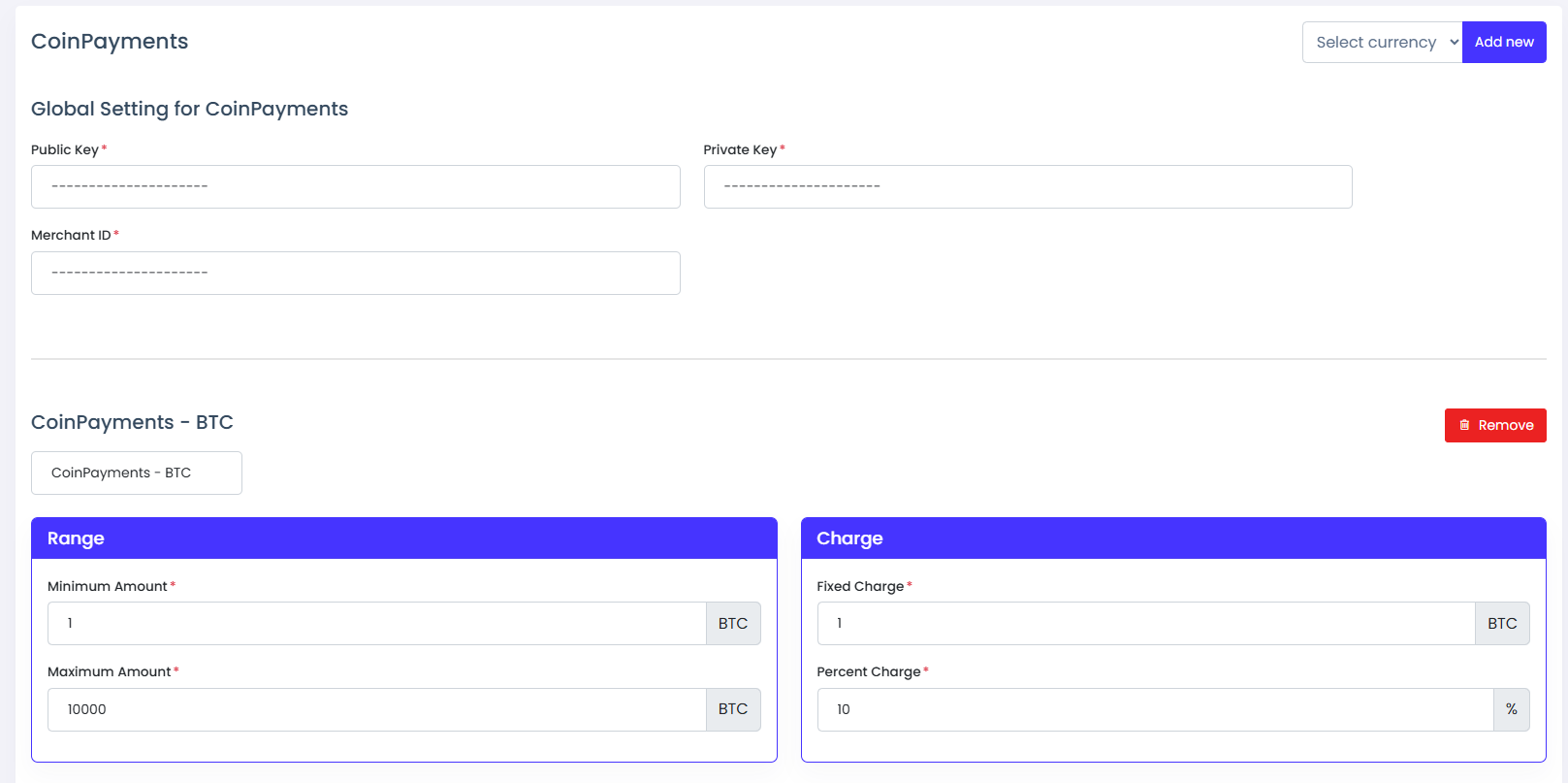
How to setup automatic gateway
- Step 1: Enable a gateway that you want
- Step 2: Click the edit button and go to the edit page of this gateway.
- Step 3: Provide required credentials.
- Step 4: Select a currency and click add new option. This select box is shown at the top of the page
- Step 5: Provide currency title minimum and maximum deposit range, fixed and percentage charge.
- Step 6: Click the submit button and your gateway is ready to receive payments if everything is ok.
How to setup manual gateway
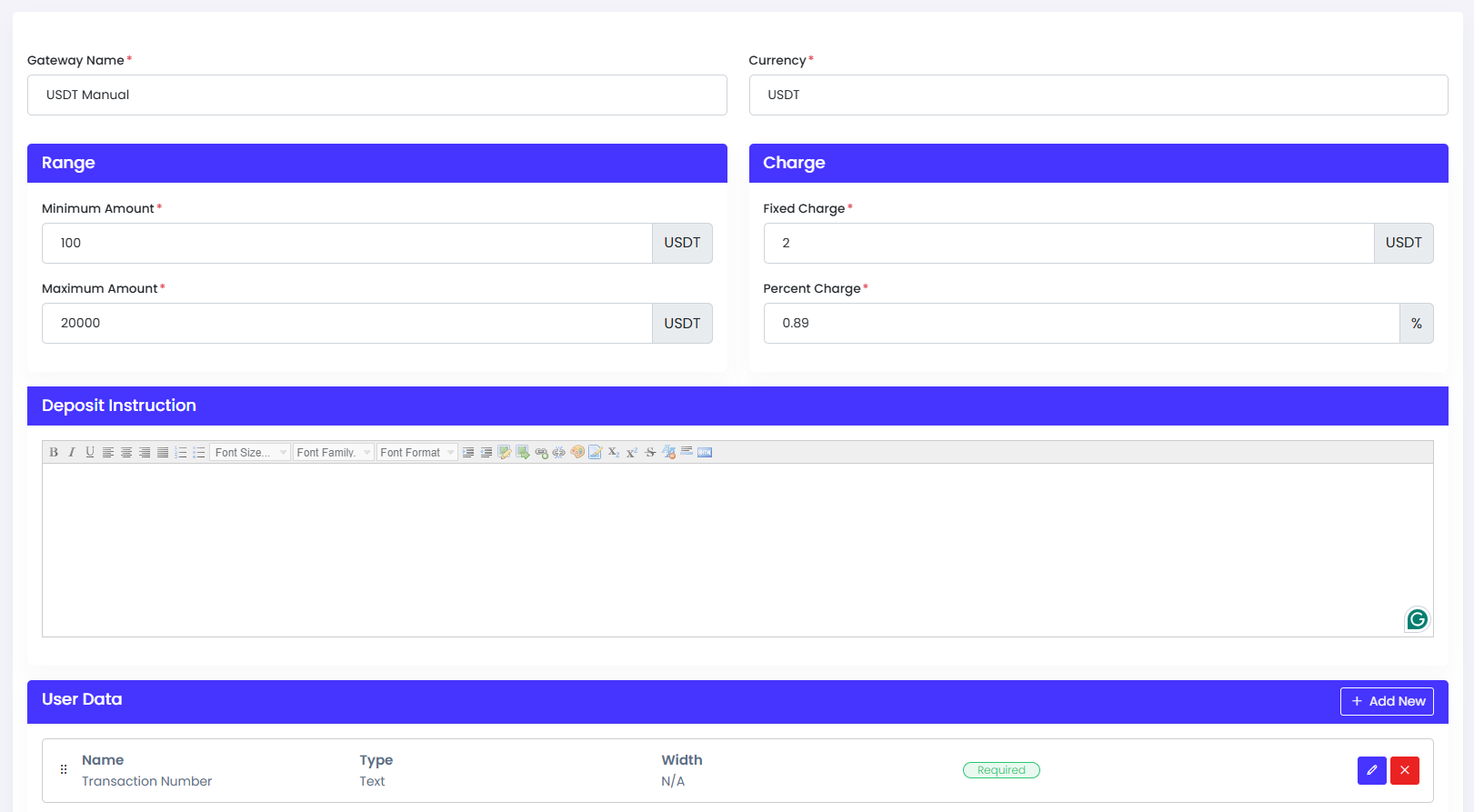
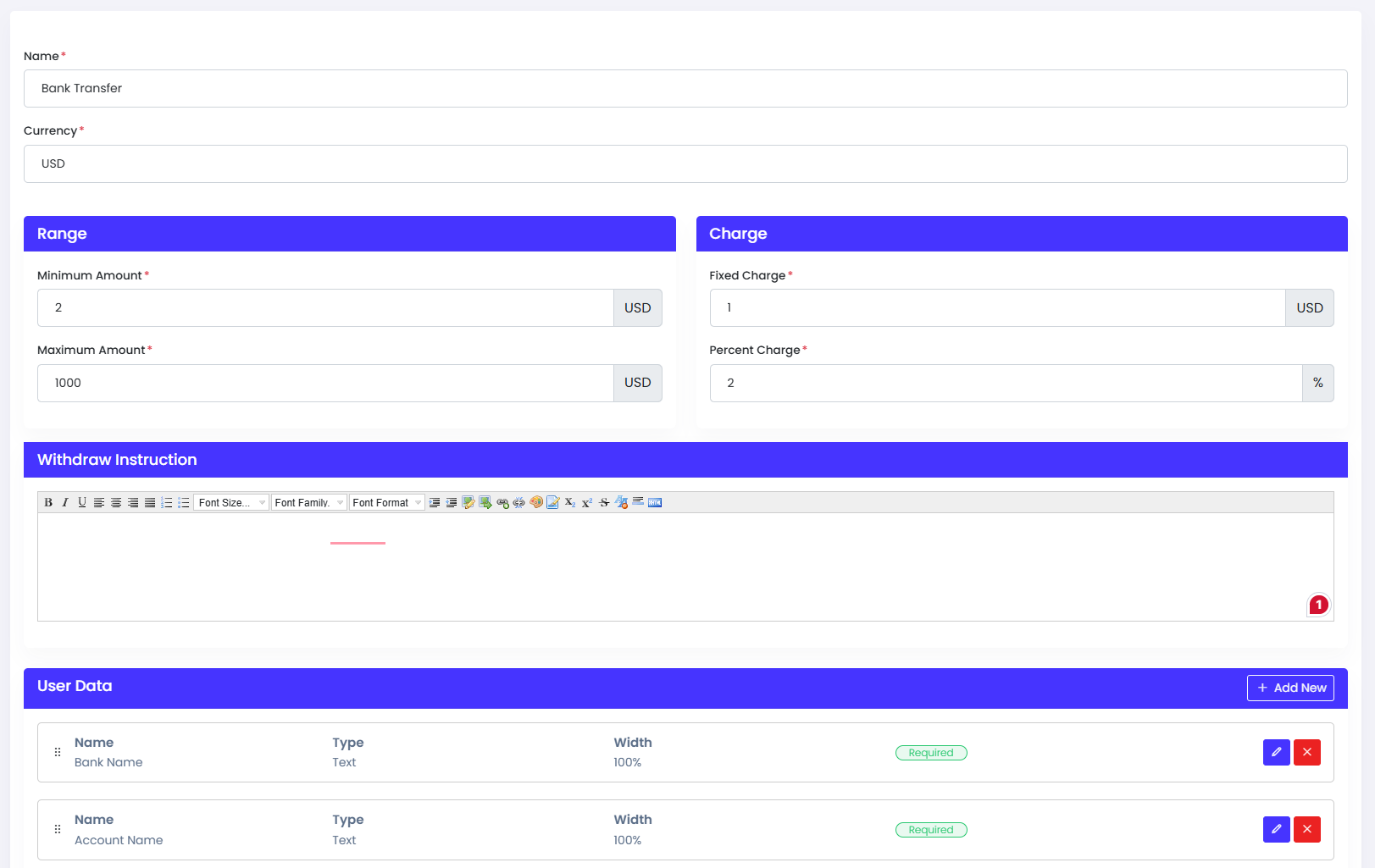
- Step 1: Click the "Add New" button. Now you'll be able to see a form to setup this gateway
- Step 2: Provide basic required information.
- Step 3: Provide instruction to users. This instruction will show to users. This instruction is referrers that how to send the money.
- Step 4: Set some user data that you want. This is the proof of payment. After sending the payment you've to confirm that. So that you need payment proof. That's why you need to set up this section.
Withdrawal Methods
Vinance provides multiple withdrawal methods for traders to securely withdraw their earnings. Users can choose a preferred method based on availability and convenience.
Withdrawal Process
- Step 1: Choose a preferred withdrawal method.
- Step 2: Enter the required details.
- Step 3: Submit a withdrawal request.
- Step 4: The admin reviews and processes the request (if manual approval is required).
How to setup withdraw method
- Step 1: Click the "Add New" button. Now you'll be able to see a form to setup this method
- Step 2: Provide basic required information.
- Step 3: Provide instruction to users. This instruction will show to users. This instruction is referrers that how to make request for withdrawal.
- Step 4: Set some user data that you want. This is the proof of payment. After submitting the request you've to confirm that. So that you need a proof. That's why you need to set up this section.
SEO Configuration
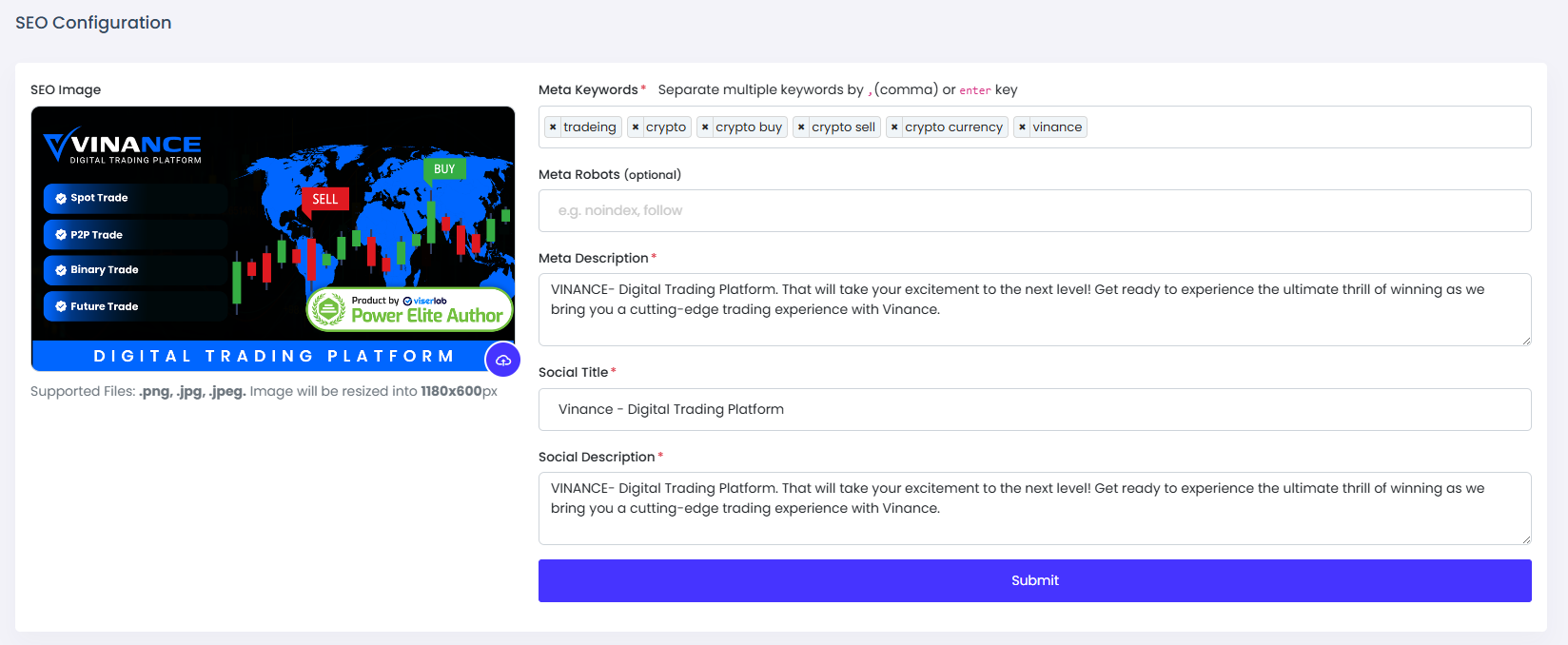
SEO now becomes a very important part of any website, and that is why we have added a simple but powerful SEO manager tool in the admin panel. Now you can set your SEO keywords, meta tag, and OG image from your admin panel without paying anyone. SEO setting is just one-click away.
- SEO Image: This image will show when you'll share the site link anywhere.
- Meta Keywords: Put here some keywords related to your site. This will help to rank your site to search engines.
- Meta Description: This description will show in search engines. Also, related descriptions will help to rank your website in search engines.
- Social Title: This description will show below the title when sharing the link to social media.
Manage Frontend
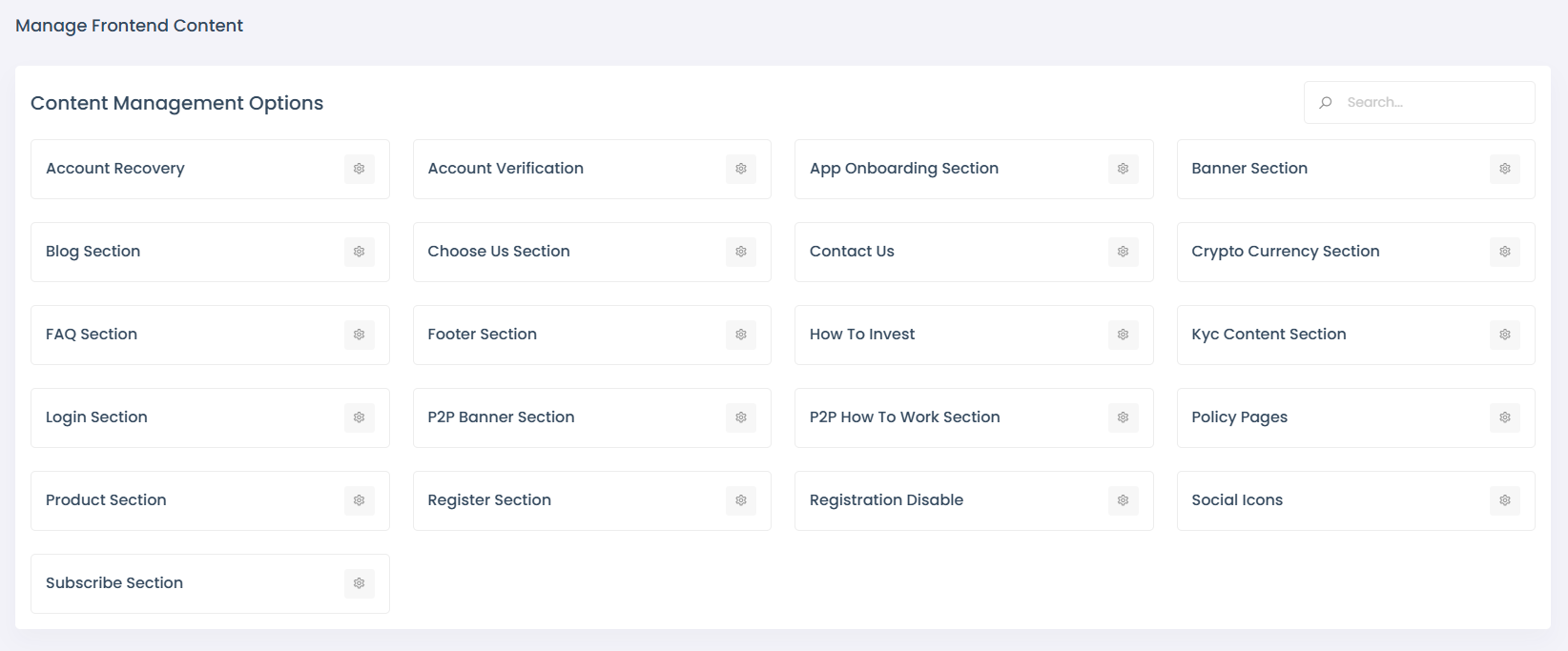
Vinance allows you to customize and manage various frontend sections to enhance user experience and engagement. Below are the key sections and their purposes:
- Account Recovery
- Account Verification
- App Onboarding Section
- Banner Section
- Blog Section
- Choose Us Section
- Contact Us
- Crypto Currency Section
- FAQ Section
- Footer Section
- How To Invest
- Kyc Content Section
- Login Section
- P2P Banner Section
- P2P How To Work Section
- Policy Pages
- Product Section
- Register Section
- Registration Disable
- Social Icons
- Subscribe Section
Language
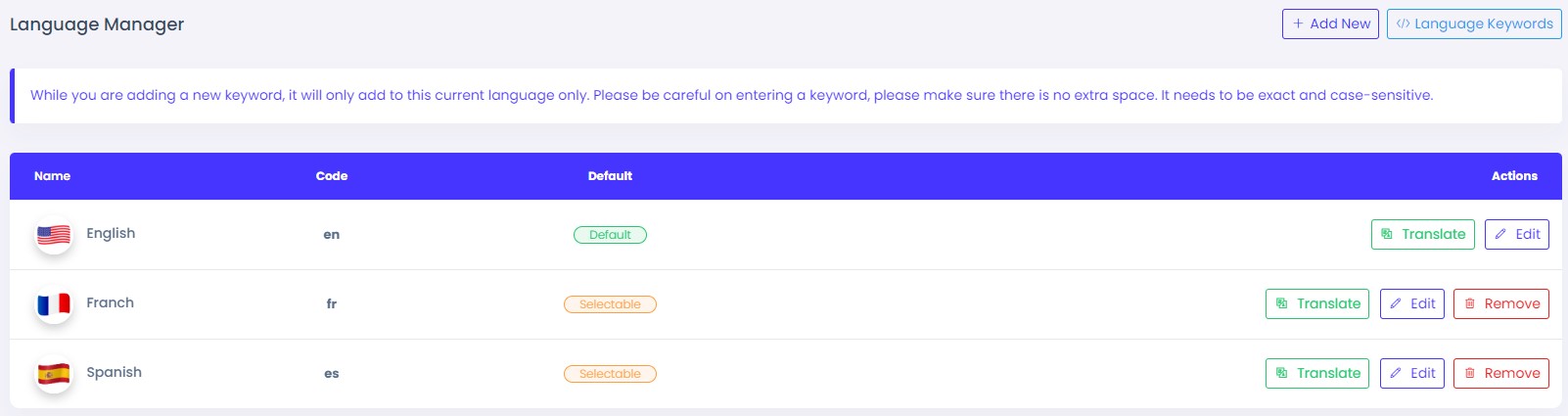
Nowadays, many website owners want to localize their websites. They want to set many languages so users can choose and see the website in their mother language. But they can not set as many other software providers don't give that option Built-in and they charge a high amount of money to set that, In our product, you need not to pay any single penny for that. we include a unique language manager where you can easily set any language within a very short time.
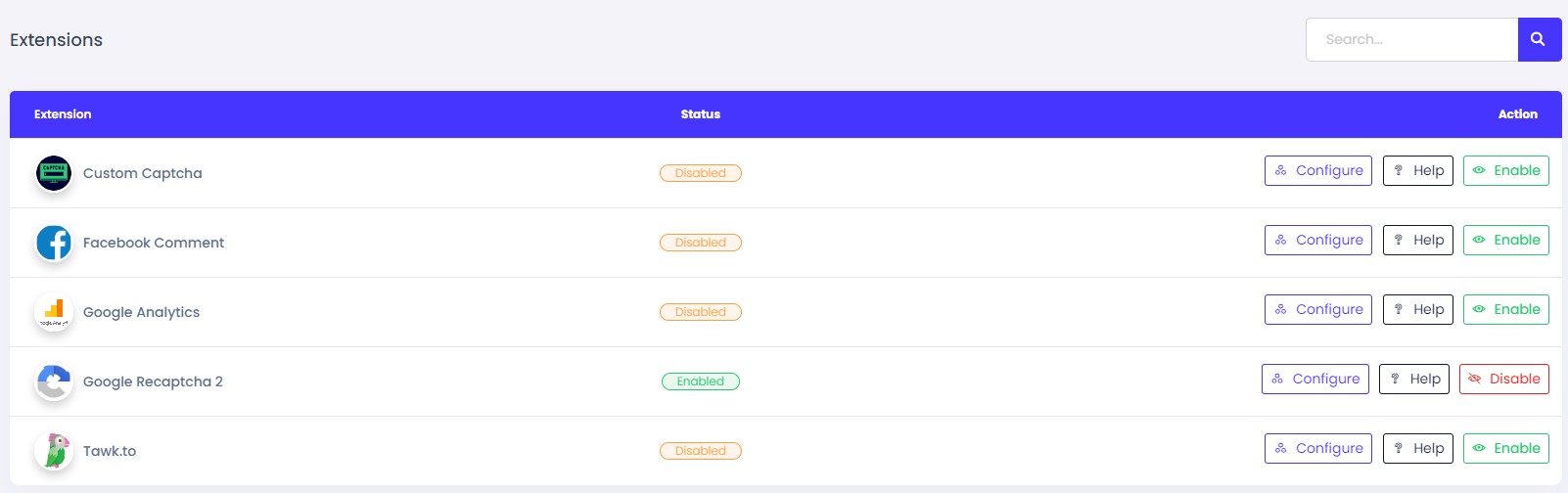
Extension
It is a unique feature for you. We have added all the important and required plugins in our admin panel. You will have full control over these plugins and you can configure them as you want.
- Google Recaptcha 2: Google Recaptcha 2 is used for protect robotic request to your system. To get google recaptcha 2 credentials Click Here
- Tawk.to: Tawk.to is third party live chat platform. You can enable this extension by providing api key from tawk.to
- Custom Captcha: This extension also protect robotic attack to your system. This is not third party extension. This is internal extension of our system
- Google Analytics: This extension is used to track your visitors. Overview of your web page and visitors are tracked by google analytics. To get credentials of google analytics, Click Here
- Facebook Comment: Facebook comment is used to manage blog's comments of our system. If you enable this, a facebook comment box will be shown in blog page. To get credentials of facebook comment, Click Here
Support
If you have any questions about this script, I'd be happy to help you. I'll try to help as best I can. If you have any questions, please don't hesitate to contact us in the Help Center.
- Email Us: [email protected]
Social Login Setting
Vedemy allows users to log in and interact using their social media accounts. The Social Settings section enables you to configure authentication and integration for popular platforms like Google, Facebook, and LinkedIn.
Google Login
Facebook Login
LinkedIn Login